
Q1 2026 Release Notes for Staircase AI
Release Date: May 05, 2026
Enhancements
Topic Trends
Staircase AI introduces Topic Trends that help you identify which topics are gaining or losing traction across customer interactions over a selected time period. This gives teams a clearer picture of emerging patterns and shifts in customer sentiment.
What's new
- Topic trends growth metrics: The Topics report and Topics page now include a dedicated set of fields that highlight topic momentum over time.
The following fields are available in Select & Reorder Columns, in addition to standard topic fields:- Current Period Volume: The number of times a topic was mentioned during the selected time period.
- Previous Period Volume: The number of times the same topic was mentioned in the equivalent prior period.
- Absolute Growth: The raw change in mention volume between the two periods.
- Growth %: The percentage change in volume between the current and previous periods.
- Data Over Time: A time-series graph view showing how topic volume has trended across the selected date range.
These metrics are time-bound and automatically recalculate when you change the date range filter. For example, switching to a 30-day window updates all metrics to reflect that period.
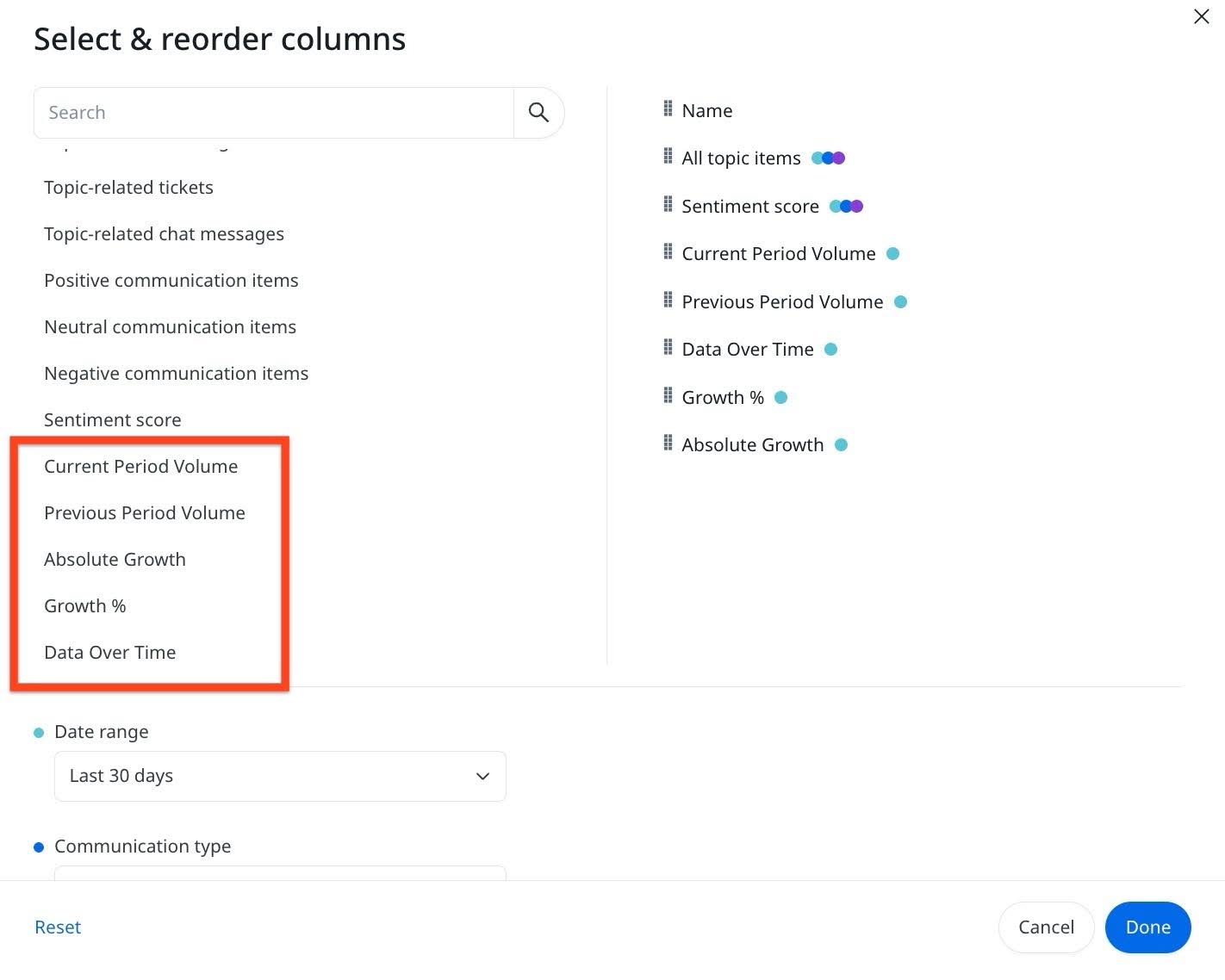
- Subtopic-level visibility: The report surfaces data at the subtopic (child) level, displaying mentions across all parent topics in your organization. This makes it possible to spot high-volume or fast-growing subtopics such as a spike in Bug Resolved or Case Activity and track whether discussion around them is increasing or decreasing over time.
Topic trends metrics are available to all users. No additional configuration is required. The report respects existing date range filters applied across your workspace.
For more information, refer to Topics and Topics Report articles.
Export Risk and Expansion Analysis as PDF
Staircase AI now enables you to export risk analysis and expansion analysis as formatted PDF reports directly from the Accounts page. Use Download PDF to share these reports with stakeholders outside of Gainsight without requiring them to access the platform.
What's new
- Expansion Analysis PDF: Includes the full opportunity breakdown with action plans, confidence levels, and evidence quotes for each opportunity.
- Risk Analysis PDF: Includes risk reasons with severity levels, the full playbook with timeline and owner roles, and stakeholder cards.

For more information on Download PDF, refer to the Risk Analyst and Expansion Analyst articles.
Manage Multiple Email Addresses Per User
Staircase AI now supports managing multiple email addresses for a single user. While most users have only one email,which remains non-editable, this enhancement addresses scenarios where users may have more than one email associated with their profile.
Key Enhancements
- Primary Email Update: Admins can now update a user’s primary email. When multiple emails exist, admins can designate which email should be treated as the primary one. This is particularly useful when users change companies or email addresses.
- Secondary Email Visibility: All associated email addresses for a user are now displayed in the UI, providing greater transparency, especially helpful for support teams to identify primary email if users change company or email address.

For more information on setting user permissions, refer to the Users and Permissions article.
Release Date: April 13, 2026
Announcement
Connect Staircase AI to Claude with the Approved MCP Connector
Staircase AI is now available as an approved connector on Claude.ai, enabling direct integration between Staircase AI and Anthropic's Claude platform. The connector is officially approved by Anthropic and listed on the Claude Connectors Marketplace. You can connect your Staircase AI account directly to Claude.ai and query your customer data using natural language.

For more information, refer to the Configure MCP for Claude Chat (Web) section of the Connect Staircase AI to LLMs Using MCP article.
Enhancement
Export Scheduled Reports Directly to an AWS S3 Bucket
Staircase AI now supports exporting scheduled report data directly to an AWS S3 bucket in CSV format. In addition to email delivery, you can configure an S3 bucket as a destination for your scheduled reports, giving you more flexibility in how you store and access report data. This is particularly useful if your team uses a data lake such as Snowflake or Databricks. You can route Staircase AI customer data directly into your existing data pipeline without any manual extraction.
Key Enhancements
- Outbound tab in AWS integration: Configure your S3 bucket name directly from the AWS integration page using the new Outbound tab.

- S3 as a report destination: Select an AWS S3 bucket as the delivery destination when configuring scheduled reports.

- CSV export format: Export report data exports to your S3 bucket in CSV format.
For more information, refer to the Configure Amazon S3 Outbound Integration article.
Release Date: March 30, 2026
Enhancements
Webex by Cisco Integration with Staircase AI
Staircase AI now integrates with Webex by Cisco as a meeting provider, enabling you to automatically ingest meeting data from Webex sessions into your Timeline. This ensures that Webex-based interactions are reflected in your Staircase AI engagement insights without manual imports or workarounds.
Key Capabilities
- Native Webex integration: Meetings held on Webex are now directly logged into Staircase AI Timeline as synchronized meeting activities.
- Participant and metadata capture: Webex meeting participants, timestamps, and related metadata are automatically recorded.
- Error visibility: Admins can view sync status and errors for Webex meetings to diagnose missing or failed ingestions.
- Click-through meeting links: Meeting entries include links back to the source Webex session for context and verification.

Key Benefits
- View Webex engagements alongside data from other meeting platforms in one place.
- Eliminate the need to manually add or upload Webex meeting details, the system handles it automatically.
- Maintain consistent and unified account-level activity histories to support analysis and decision making.
- Give admins transparency into sync health, speeding resolution of configuration or ingestion issues.
For more information on Webex by Cisco Integration, refer to the Webex by Cisco article.
Salesloft Meetings Integration with Staircase AI
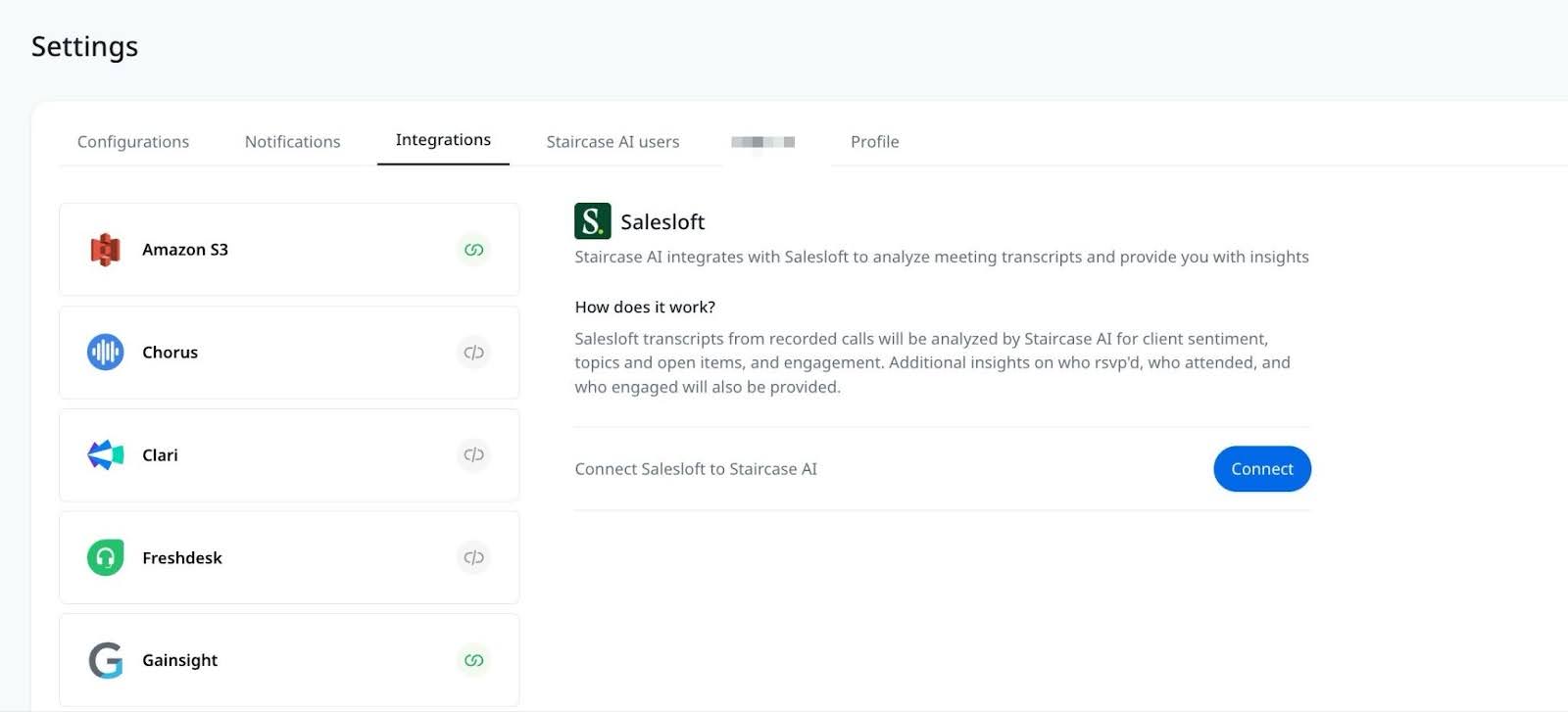
Staircase AI now integrates with Salesloft Meetings to automatically ingest and analyze meeting data. This integration enables you to gain insights such as attendance, engagement, sentiment, topics, and action items from client-facing calls.
Key Capabilities
- Automated Meeting Insights: Staircase AI analyzes Salesloft meeting transcripts to identify customer sentiment, key discussion topics, open action items and participant engagement.
- Historical Data Sync: Upon initial connection, Staircase AI imports and analyzes up to three months of historical client-facing call data. All new recorded meetings are automatically analyzed going forward.
- Calendar-Based Matching: Only conversations that have a matching calendar event are analyzed to ensure data accuracy and relevance.
Key Benefits
- Understand customer sentiment and key discussion themes without manual review.
- Identify action items and engagement signals to drive more effective next steps.
- Eliminate manual effort required to review recordings and capture insights.
For more information on Salesloft integration, refer to the Salesloft article.
Release Date: February 11, 2026
Enhancement
AI Risk Analyst
Staircase AI introduces AI Risk Analysis, a new AI-powered capability that automatically identifies potential risks across accounts by analyzing recent customer interactions. Built on the same agentic architecture as Expansion Analyst, Risk Analyst helps Customer Success Leaders and Managers and Account Managers proactively detect churn signals, understand risk context, and take informed action.
Risk Analyst continuously analyzes customer communications to surface meaningful risk insights, supported by enriched data, explainable signals, and guided actions, all in a redesigned right-side panel.
Key Capabilities
- AI-driven risk detection: Automatically analyzes customer communications, including emails, calls, tickets, and meetings, to detect churn signals. A new sub-agent, Experience Curator, scans historical churn risk events to build an experience library. It captures what worked, what didn’t, the actions taken, and who was involved, enabling the AI to personalize recommendations based on proven, real-world outcomes.
- Multi-channel insight coverage: Scans interactions from the past six months across multiple systems to provide a comprehensive account view.
- Actionable recommendations: Generates action plans based on historical churn patterns. A new sub-agent, Playbook Creator, focuses on generating curated actions and playbooks that help teams mitigate risk more effectively and take timely, informed action.
- Enriched Data Model: Expanded context and structure behind risk signals to improve accuracy, explainability, and relevance.
- New Right-Side Panel: A new consolidated panel that brings risk insights and guidance together, including:
- Playbooks and recommended actions
- Stakeholder cards and communication guidance

What’s Changed From the Previous Churn Risk Summary
| Previous Experience | Risk Analyst |
|---|---|
| Single-paragraph summary | Full multi-layer risk analysis. Classifies risks into nine actionable categories. |
| Trigger-based explanation only | Provides contextual analysis across all related communications and indicates the urgency of the risk, including recommended days to action. |
| Limited guidance | AI-generated playbooks and actions. Recommends actions based on what actually worked in a similar situation. |
| No learning loop | Continuous learning through Experience Library. |
Key Benefits
- Identify churn risks early by continuously monitoring customer communications across channels.
- Understand not just what the risk is, but why it exists, supported by enriched and explainable data.
- Use AI-generated playbooks and curated actions to respond to risk efficiently and consistently.
- Benefit from weekly model updates that reflect the latest customer signals and behaviors.
- Centralize insights, stakeholders, and actions in one place to reduce manual analysis and decision fatigue.
For more information, refer to the Risk Analyst article.