
Salesloft
This article explains how admins can connect Salesloft Meetings with Staircase AI to retrieve and analyze meeting transcripts and participant information for client-facing calls, including setup steps, required permissions, and cleanup instructions.
Overview
Connect Staircase AI to your Salesloft account to gain insights such as attendance, engagement, sentiment, topics, and action items.
Once access is granted, Staircase AI analyzes Salesloft call transcripts to identify client sentiment, key topics, open action items, and engagement, along with additional details from calendar invite such as RSVP status, attendance, and participant engagement.
When the integration is first established, Staircase AI imports and analyzes three months of historical client-facing call data.
Prerequisites
Before proceeding, ensure the following:
- You have admin permissions in both Salesloft and Staircase AI.
- Salesloft Meetings transcription is enabled in the settings.
Permissions Granted by the Integration
Integrating Staircase AI to your Salesloft meetings account grants the following permissions:
- View all user conversations: Used to match conversations with events from the integrated calendar (Google or Microsoft).
- View recording: Used to retrieve meeting transcript which is then analyzed for topic, sentiment, and open items.
- View attendee information: Used to match Staircase AI users with Salesloft attendee information.

Connect Staircase AI to your Salesloft Account
To connect your Salesloft account with Staircase AI:
- Log in to Staircase.ai.
- Navigate to Settings > Integrations.
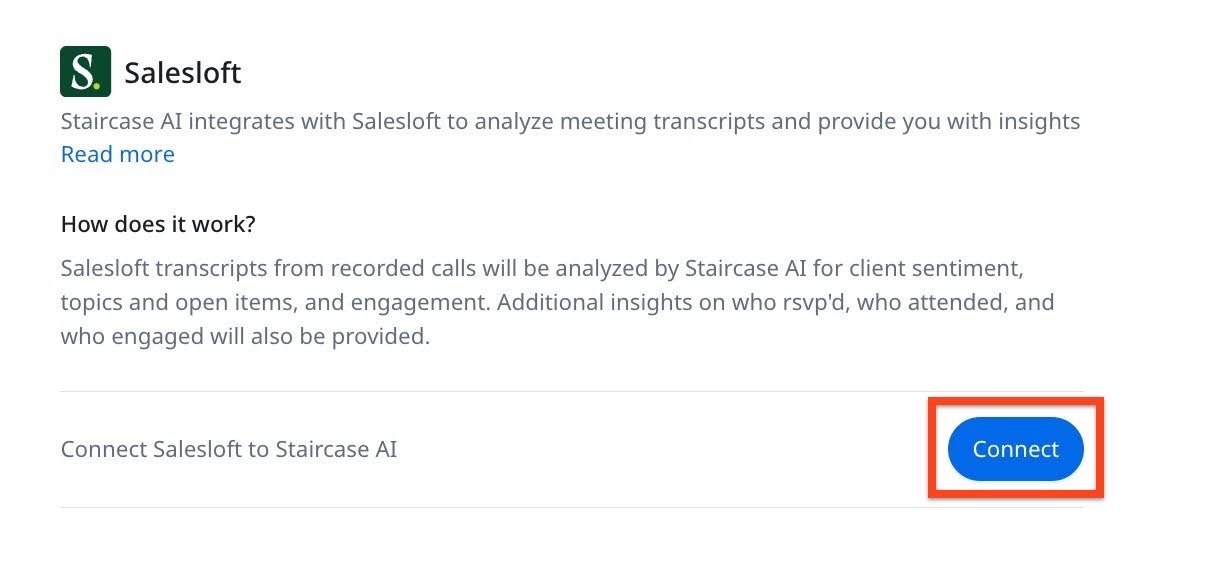
- Click the Salesloft card. The Salesloft integration page appears.
- Click Connect. The Salesloft sign-in page appears.
- Sign in with your Salesloft admin credentials.

A confirmation message appears when the configuration is successful.

After setup, Staircase analyzes all recorded client-facing calls that match your team and accounts. Staircase AI analyzes only those conversations that have a matching calendar event.
Disconnect Salesloft Meetings Integration
To disconnect Salesloft Meetings integration:
- Log in to Staircase.ai.
- Navigate to Settings > Integrations.
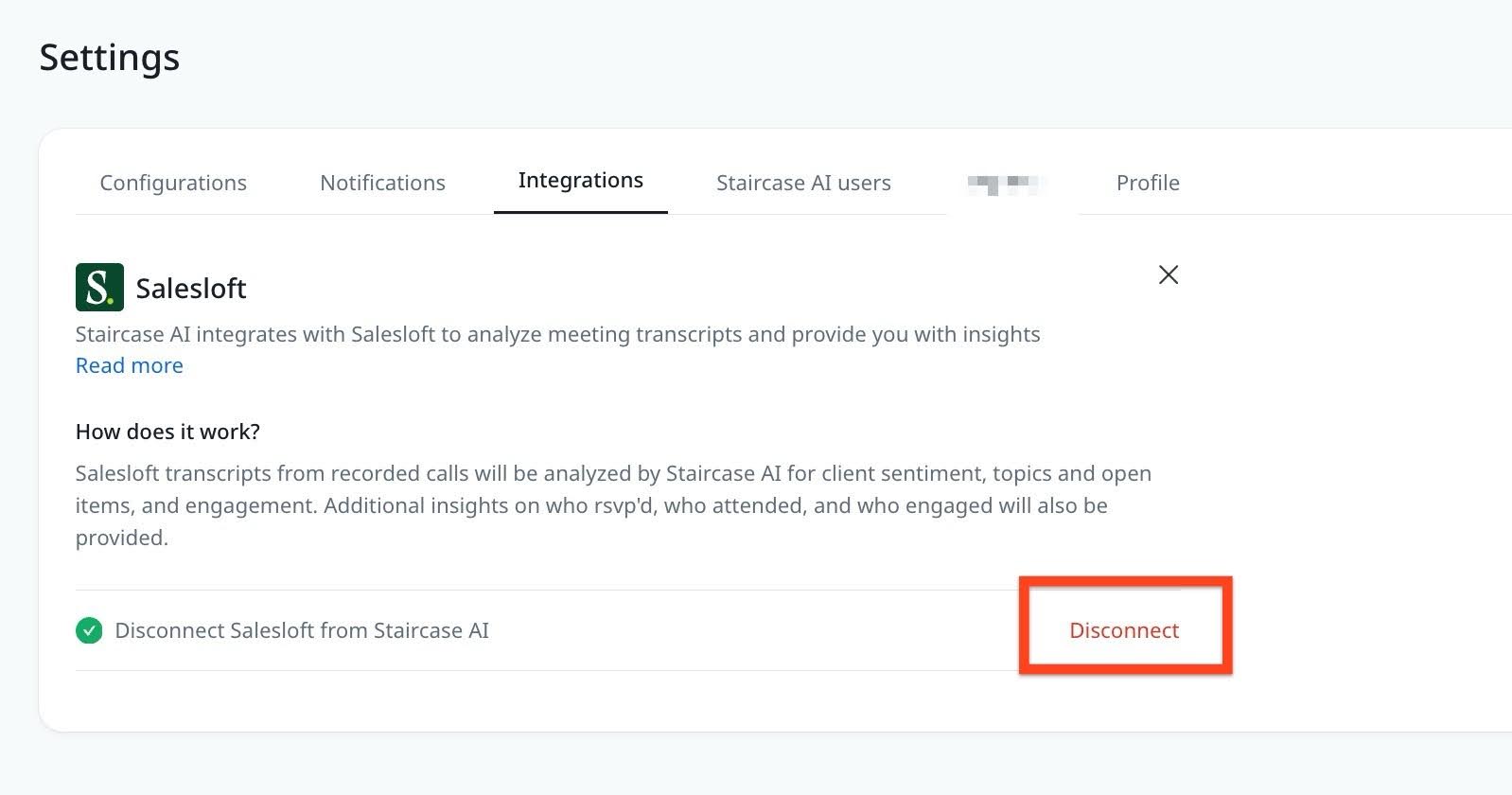
- Click the Salesloft card. The Salesloft integration page appears.
- Click Disconnect.
Uninstall the Staircase AI App from Salesloft Meetings
If you no longer have access to the Staircase AI application, you can uninstall the Staircase AI app. To uninstall Staircase AI app from Salesloft Meetings:
- Log in to your Salesloft Meetings account.
- Navigate to Settings > Administration > Integrations.
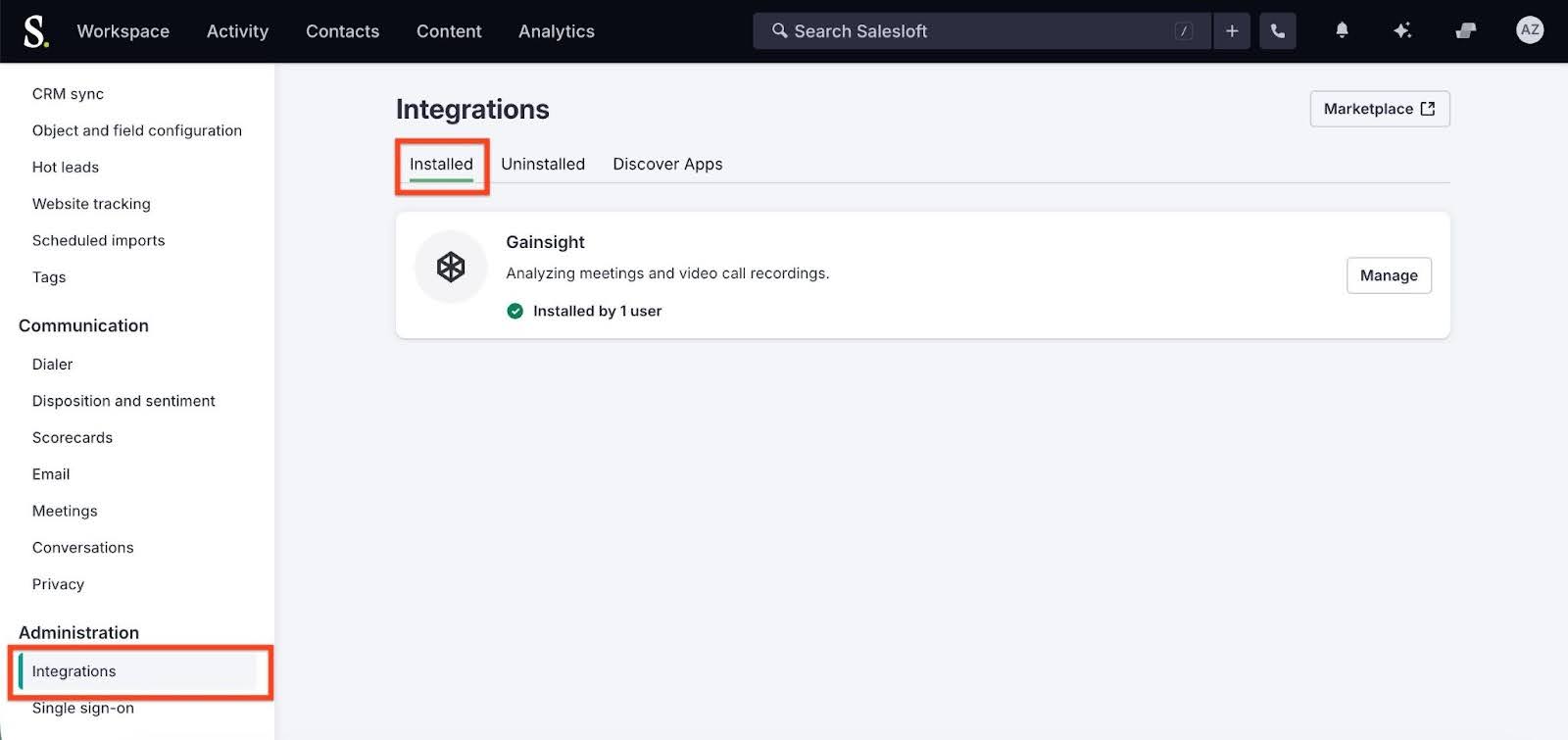
- In the Installed tab, next to Gainsight, click Manage. The Gainsight page appears.
- In the User access section, click Revoke access.
