This article helps admin with steps to define custom prompts in Staircase AI.
Overview
Custom Prompts allow users to add their own instructions to guide how Staircase AI analyzes and interprets organizational data. By defining custom instructions, Admins can fine-tune the AI's behavior to better align with your organization's specific context and goals.
Note
Custom Prompts are currently available only for Expansion analysis.
Configure Custom Prompts
To configure custom prompts:
Navigate to Settings > Configurations > AI preference.
Click the Custom prompts section.
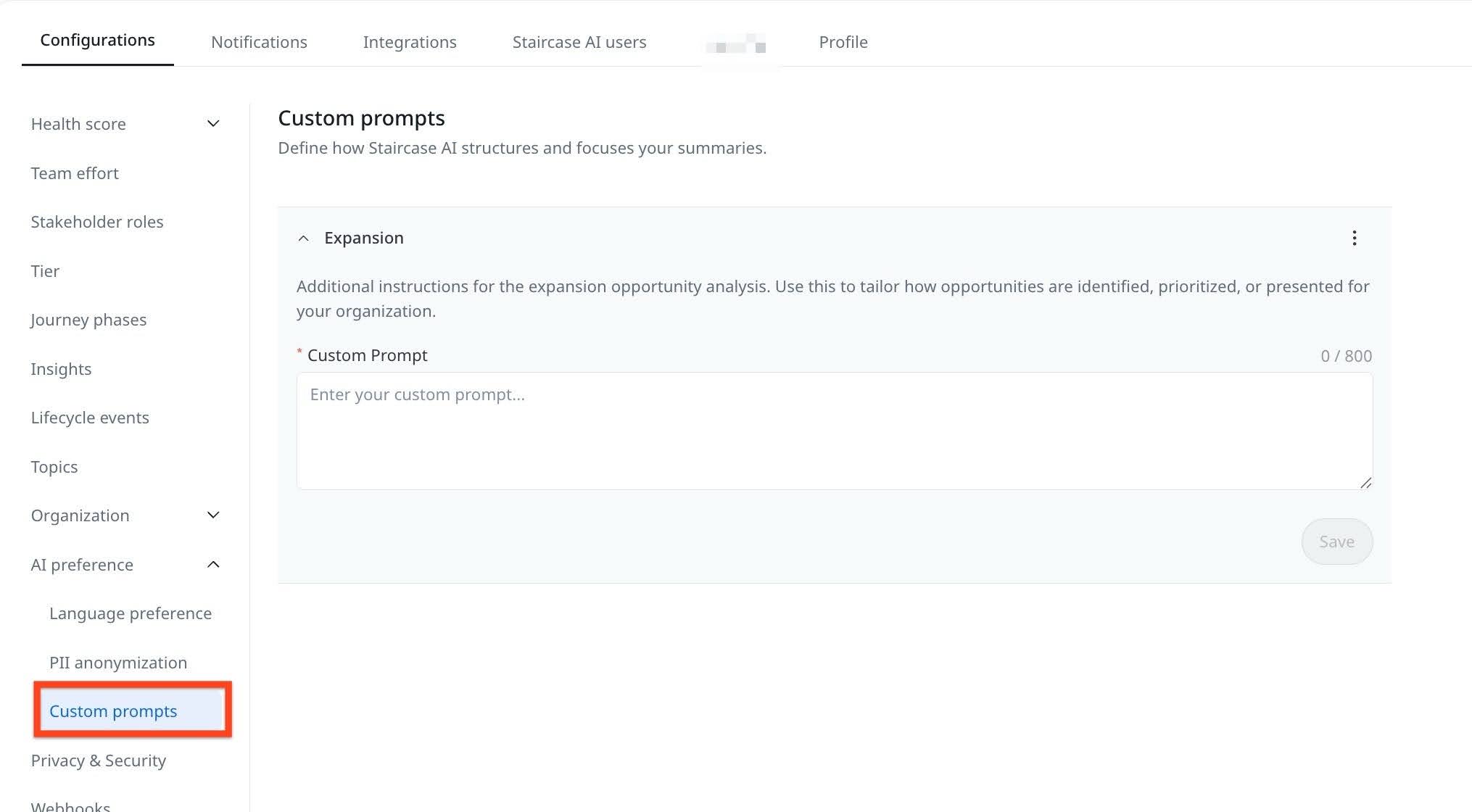
Enter your custom instructions in the Custom Prompt field.
Click Save to keep your changes.
Important
Custom Prompts apply at the organizational level, meaning the instructions you define influence how Staircase AI interprets data across your accounts.
Keep instructions clear and specific to get the most relevant output from the AI.
This feature is currently limited to Expansion analysis. Support for additional analysis types will be available in a future release.