A key part to any customer engagement is creating and nurturing relationships with your customer executive teams. While this is a priority activity, it's oftentimes hard to track. Until now! Identify both your own execs and your client execs and Staircase will track those exec:exec connects for you and surface an insight when one is overdue.
Step 1
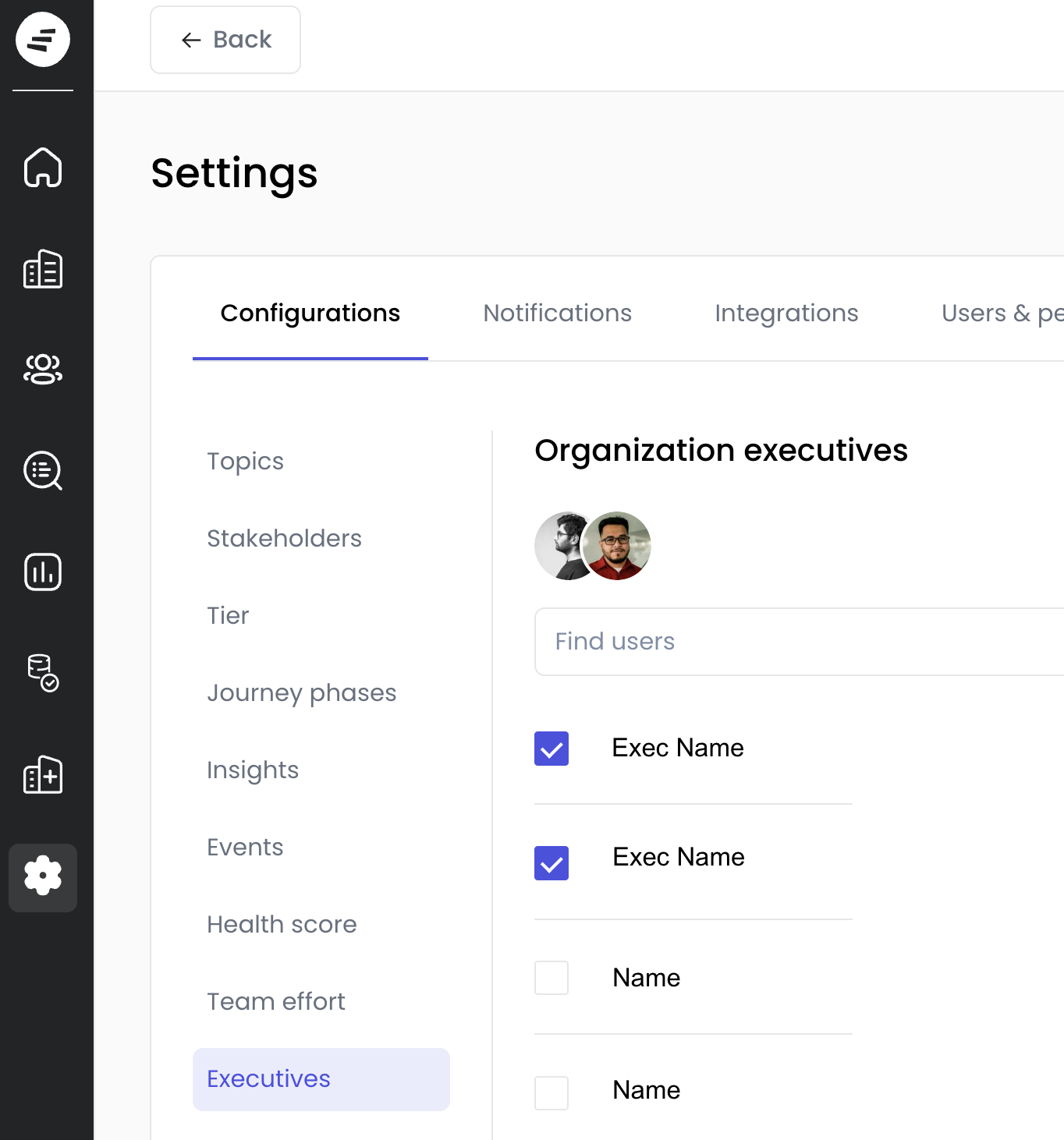
Login, click the settings cog on the left side panel, open configurations and click 'Executives'.
Step 2
In the 'find users' search bar, enter the name of each executive on your team and click to select.
Step 3
Now you're ready to rock! Use Staircase's 'Gap Analysis' report to check exec:exec touch points for each customer. A green check means you're on track and a red x means action needed.
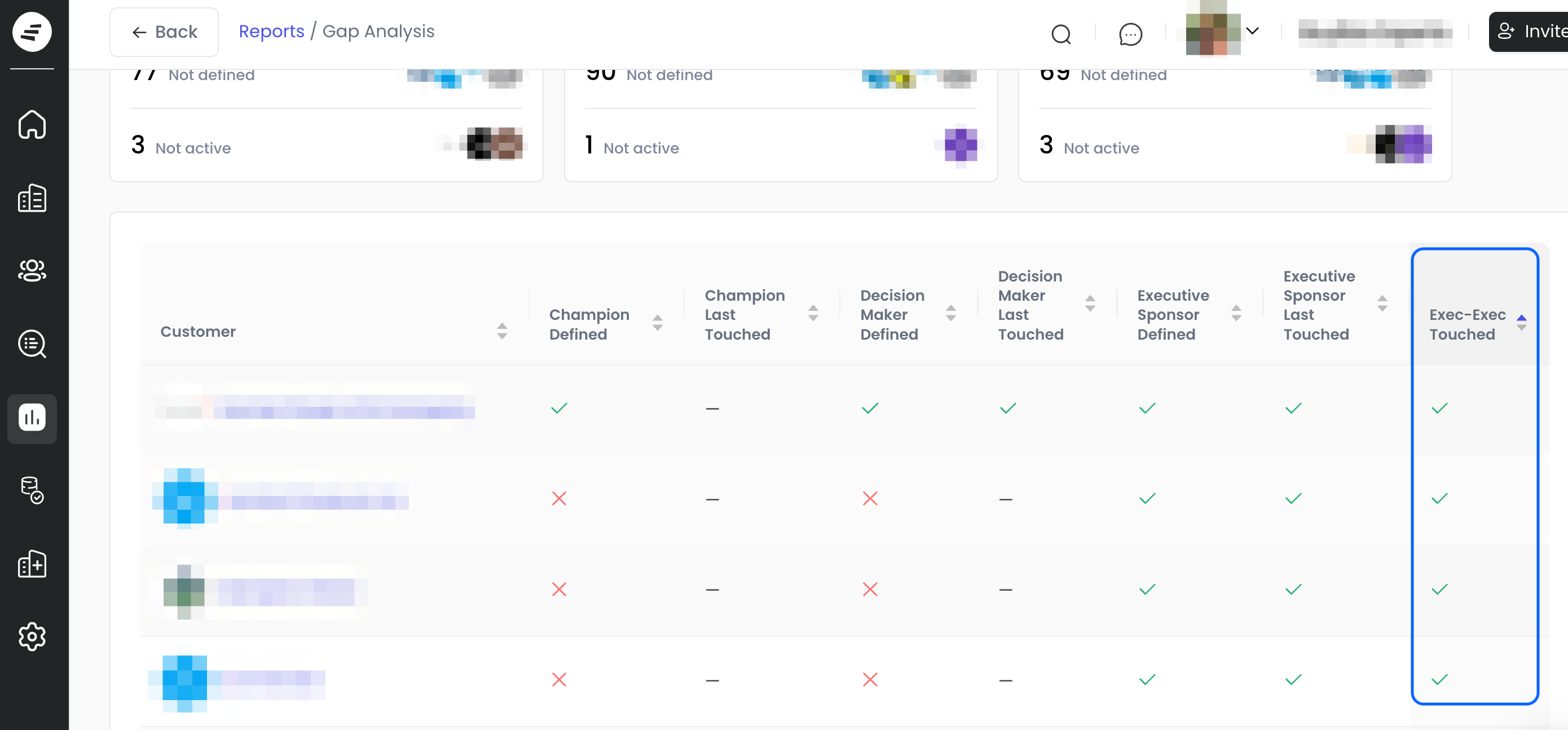
If you aren't seeing green checks or red x's here, check to ensure you've assigned the Exec Sponsor role for your customers in Staircase.