
Q2 2026 Release Notes for Customer Communities (CC)
Release Date: May 13, 2026
New Feature
Screen New User Profiles with AI-Powered Moderation
Community Managers can now enable AI-powered moderation to automatically screen new user profiles for spam and NSFW content after registration and ban flagged accounts. This feature reduces the manual effort required to keep communities safe and prevents bot accounts from participating before they can cause harm.
How It Works
When enabled, AI evaluates new account data during registration using the same moderation approach applied to community posts. The following profile fields are analyzed:
| Field | Description |
|---|---|
| Username | The display name chosen by the user during registration. |
| Email Address | The email address provided at signup. |
| Signature | Any text added to the user signature field. |
| Profile Fields | Custom profile fields configured for the community. |
| Avatar Image | The profile image uploaded by the user. |
Accounts identified with high confidence as spam or NSFW are automatically set to Banned and moved to the Banned Users group. Accounts flagged with lower confidence are placed in Waiting for moderator approval status for manual review.
Enable User Profile Moderation
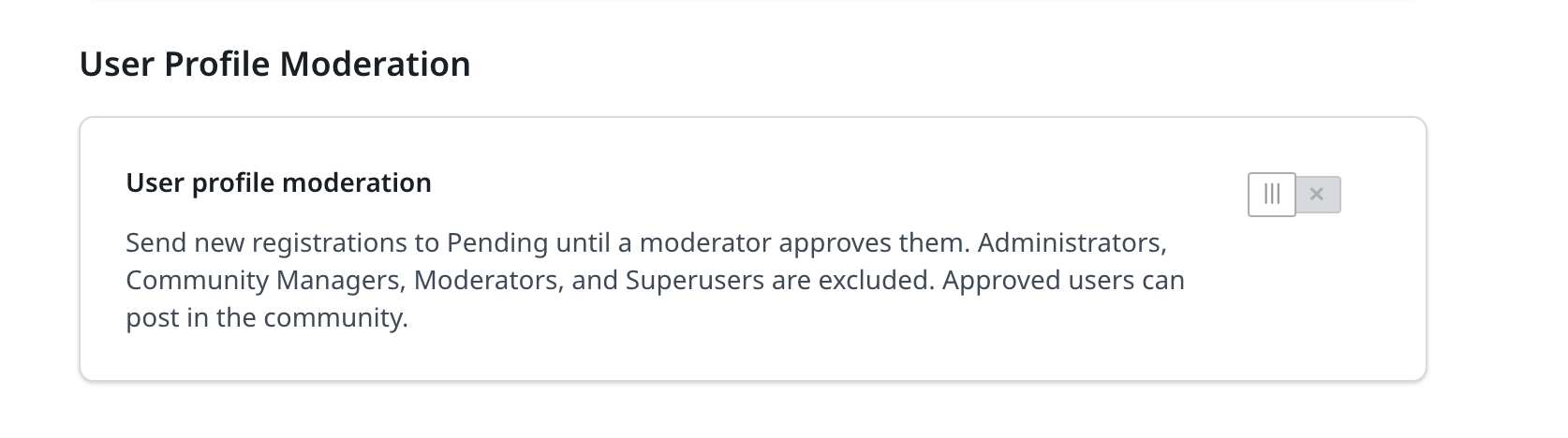
To turn on this feature, navigate to AI > Moderation Agent, and turn on the User profile moderation toggle.
Sensitivity
The AI moderation sensitivity is pre-configured for optimal accuracy and applies uniformly across all communities. You cannot adjust the sensitivity threshold for individual communities at this time.
Role Exclusions
Users with the following roles are excluded from AI screening, regardless of whether the feature is turned on:
- Admin
- Community Manager
- Moderator
- Superuser
Known Limitations: There is no admin notification when an account is automatically banned.
For more information on how to configure profile moderation, refer to the Configure User Profile Moderation article.
Hyperlink Images in the Rich Text Editor
You can now attach hyperlinks directly to images in the rich text editor. After uploading an image to a post or topic, click on the image and select the Hyperlink option to attach a URL.
Once published, click the image to open the linked URL in a new tab. Turning any image into a clickable, navigable element.
Enhancement
Track AI Answer Engagement in Search Analytics
Gainsight has added AI Answers Analytics to the Search Analytics Dashboard, providing admins and community managers visibility into how users engage with AI-generated answers.

The Search Analytics Dashboard now tracks the following AI Answers KPIs:
- Total Summaries Generated: The total number of AI Answers that have been created.
- Impressions: The total number of times users viewed an AI Answer for at least 10 seconds or interacted with it. This metric is counted once per user per answer.
- Sources Clicked: The total number of times users clicked a link in an AI Answer, including both inline links within the generated text and links in the cited sources list.
- Continue Reading Clicked: The total number of times users clicked Continue Reading to view the full AI Answer.
- Show All Sources Clicked: The total number of times users clicked Show All Sources to expand the sources list in an AI Answer.
- Helpful Feedback: The total number of times users marked an AI Answer as helpful.
- Unhelpful Feedback: The total number of times users marked an AI Answer as not helpful.
- The AI Answers Analytics KPIs are measured starting from April 28, 2026.
- All AI Answers Analytics metrics reflect the date range selected in the dashboard.
With AI Answers Analytics, teams can now measure AI Answer adoption, evaluate answer quality through user feedback, and identify source links that are most valuable to users.
For more information, refer to the Search Analytics Dashboard (BETA) article.