
Configure PII Anonymization
This article helps admin configure PII anonymization in Staircase AI.
Overview
Personally Identifiable Information (PII) Anonymization automatically redacts sensitive personal information from customer communications at the ingestion stage. It uses regular expression (regex) pattern matching to detect and replace PII with standardized tokens, ensuring no original PII is stored in Staircase systems.
With PII Anonymization you can:
- Reduce compliance risk with data privacy regulations.
- Ensure consistent data protection without manual intervention.
- Allow for customization to support business-specific identifiers.
- PII Anonymization applies only to new data ingested after the feature is enabled. Previously stored communications remain unchanged.
- PII is never saved in its original form in Staircase databases.
- PII redaction applies to emails, support tickets, and chat messages where sensitive information is commonly shared in text form. Meeting transcripts are not included since PII is rarely shared conversationally and verbal communication doesn't typically include the exact digit patterns required for regex detection.

Activate PII Anonymization
To activate PII Anonymization:
- Navigate to Settings > Configurations > AI Preferences.
- Click the PII anonymization section. The right pane displays details about PII Anonymization.
- Turn on the PII Anonymization toggle. With this toggle on, you can manage anonymization by enabling predefined rules for common data patterns.

- (Optional) To keep email addresses or other system-defined data types visible, in the System transformers section, turn off the corresponding anonymization toggle, such as Email Addresses.

- Click Test PII Anonymization. The Test PII Anonymization dialog box appears.
- Click Start Anonymization Test.
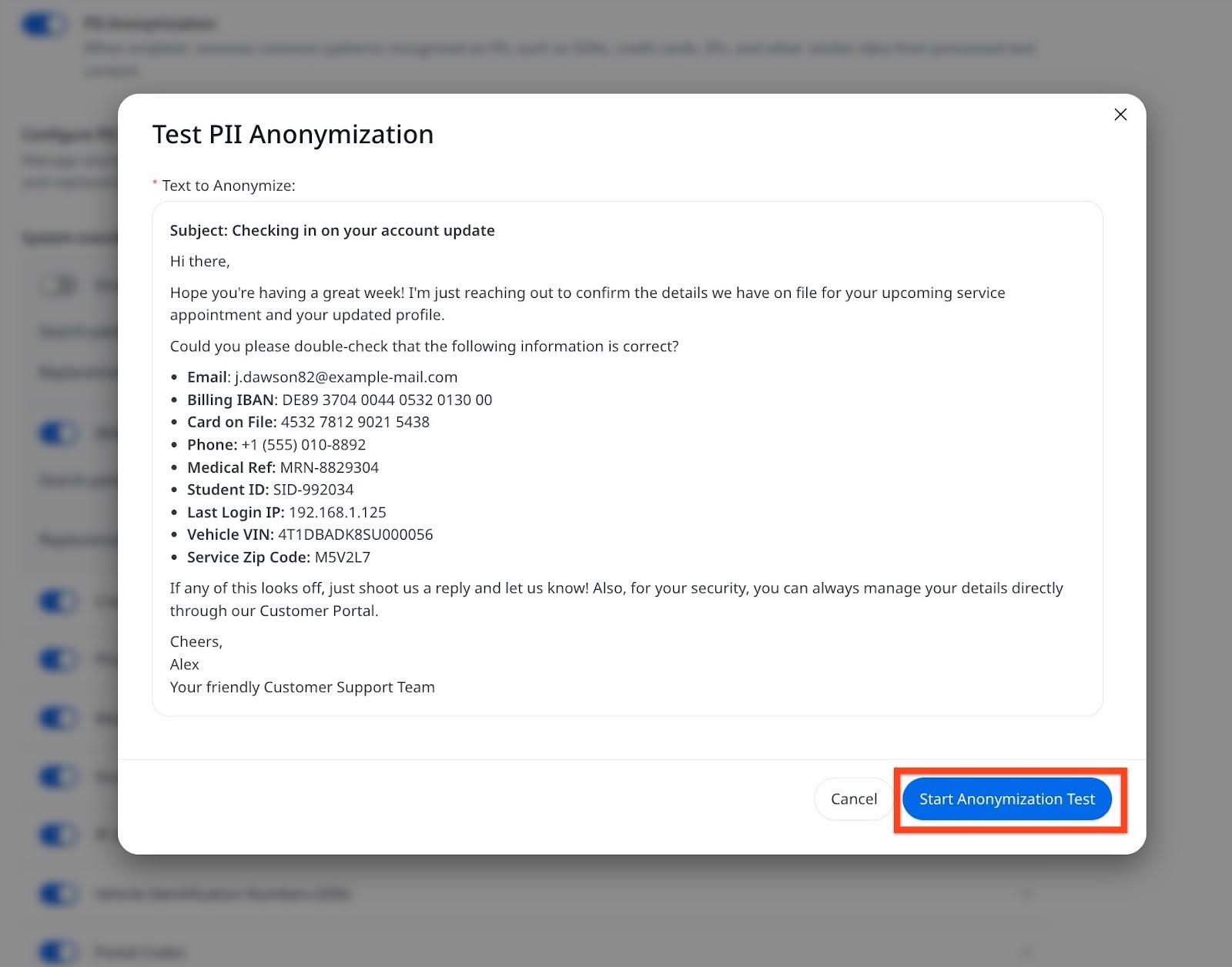
The Original Text vs Anonymized Text is displayed.

- Click Back.
- To close the Test PII Anonymization dialog box, click the Cross icon or Cancel.
- By default the PII Anonymization toggle is activated.
- Only users with admin permissions can modify this setting.
PII Types Protected by Default
The following table displays PII Type and corresponding Replacement Token used by Staircase AI:
| PII Type | Replacement Token | Examples |
|---|---|---|
| Email Addresses | [EMAIL_REDACTED] | john.doe@example.com |
| Phone Numbers | [PHONE_REDACTED] | (555) 123-4567, +1-555-123-4567 |
| Credit Cards | [CC#_REDACTED] | Various card formats |
| Medical Record Numbers | [MEDID_REDACTED] | Healthcare identifiers |
| Student ID Numbers | [SID_REDACTED] | Educational IDs |
| IP Addresses | [IP_REDACTED] | IPv4, IPv6 addresses |
| Vehicle ID Numbers (VINs) | [VIN_REDACTED] | Vehicle identifiers |
| Postal Codes | [ZIP_REDACTED] | ZIP/postal codes |
Custom PII Patterns
Organizations can request detection of additional PII types by sending an email to support@gainsight.com with the following details:
- Pattern description and business justification
- 5-10 examples of the data format
- Preferred replacement token format
Custom patterns require engineering evaluation for specificity and system impact.
