Gainsight PX Thought Industries (TI) Integration
As of March 2026, Knowledge Center Bot is now called In-App Hub. Refer to the announcement for more details. This article reflects the updated name, but some images and videos may still display the previous name and will be updated soon.
This article explains how to integrate Thought Industries with Gainsight PX.
Overview
Gainsight PX offers an integration with Thought Industries (TI) which allows you to search and view the knowledge base content of TI using the PX In-App Hub.
Prerequisite
Ensure you have login credentials for TI to generate an API Token.
API Token
Server API tokens are used to create integration from your server application and the TI API. The token consists of a key that is used to sign API requests, allowing valid requests and rejecting invalid or expired requests.
Note: You must generate an API key in TI to establish the connection with Gainsight PX.
Integrate Thought Industries
To establish connection between Gainsight PX and TI:
- Login to Gainsight PX.
- Navigate to Administration > Integrations.
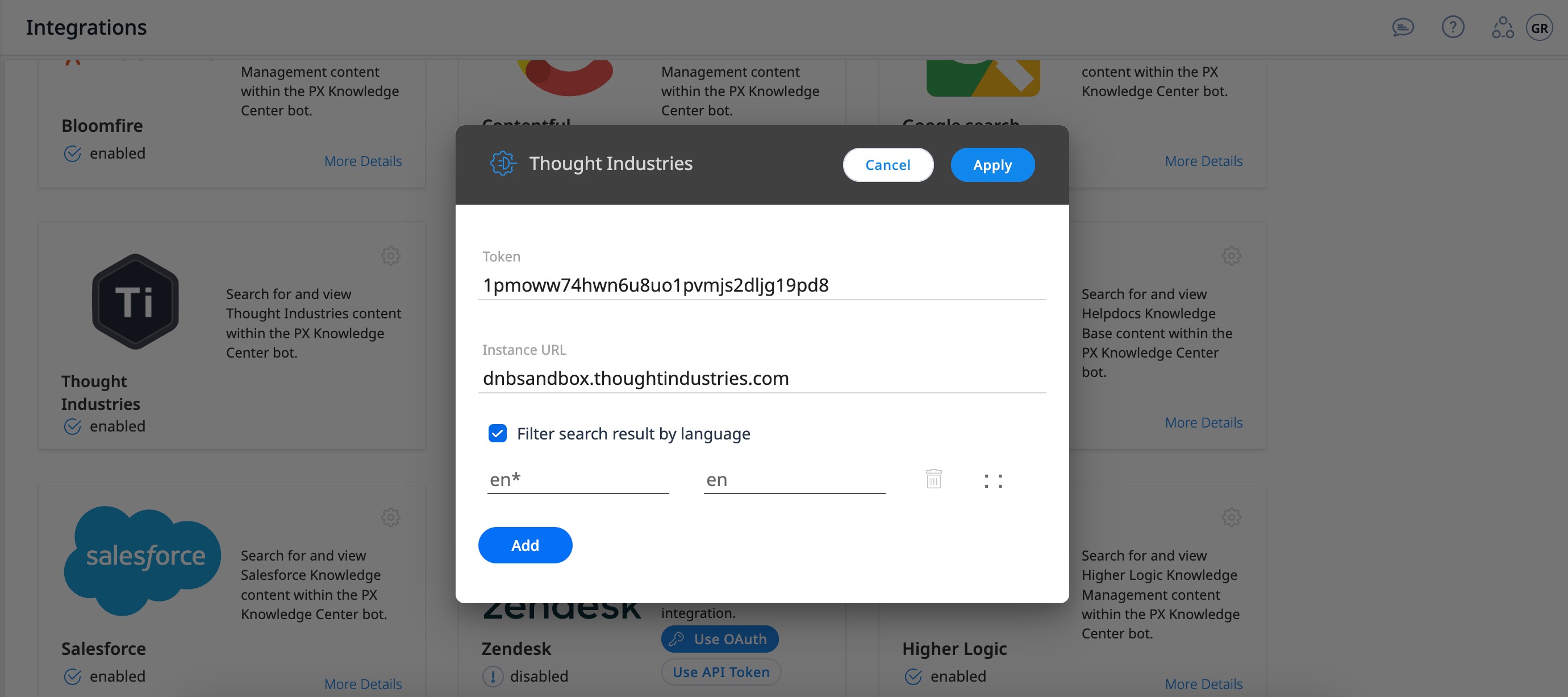
- Click the Settings icon on the Thought Industries card in the In-App Hub Integrations section. Thought Industries configuration window appears.
- In the Token field, enter the API key that you generated in Thought Industries.
- Enter the Instance URL.
- Select the Filter search result by language, to retrieve articles from In-App Hub that match the language of your browser.
- Click Apply. Navigate to the In-App Hub to verify the integration.
Validate Integration
To verify whether the integration is successful:
- From the left pane, click on In-App Hub.
- Click on the In-App Hub in the In-App Hub page.
- Click Articles Search tab in the Editor step.
- Select the Docs Search Tab checkbox.
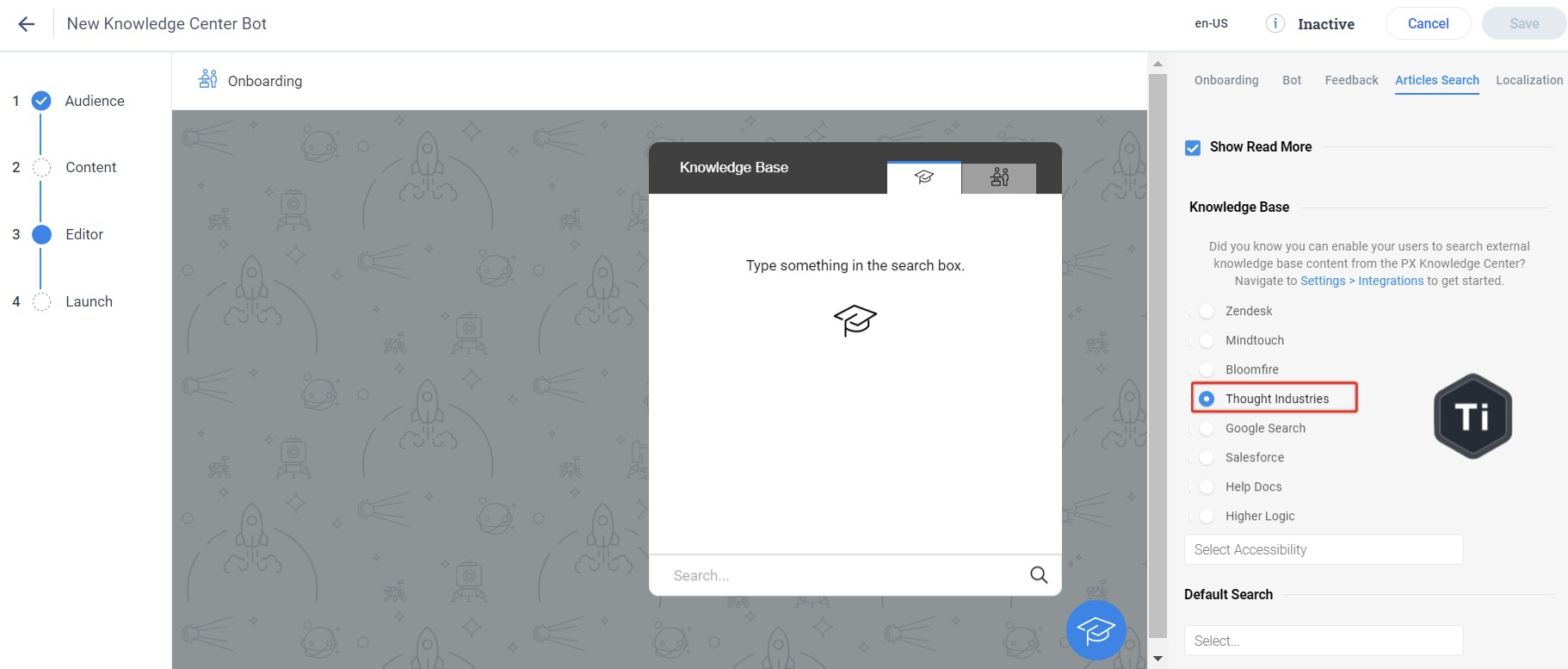
- Select Thought Industries in the Knowledge Base section. The Knowledge Base tab is shown in the In-App Hub preview.
- Click Save. Now, the content from Thought Industries is displayed on the Knowledge Base tab of In-App Hub.