
Gainsight PX Higher Logic Integration
As of March 2026, Knowledge Center Bot is now called In-App Hub. Refer to the announcement for more details. This article reflects the updated name, but some images and videos may still display the previous name and will be updated soon.
This article explains how to configure the integration between Gainsight PX and Higher Logic.
Overview
When PX is configured with Higher Logic, you can view and search all the articles available in the Higher Logic CMS through PX In-App Hub.
Prerequisites
- You must have Higher Logic login credentials.
- You need to have the IAM key and password from Higher Logic to configure the integration.
Note: Server API tokens are used to create integrations from your server application and the Higher Logic API. The token consists of an IAM key and password that is used to sign API requests, allowing valid requests through and rejecting invalid or expired requests.
Integrate Higher Logic
To configure the integration between PX and Higher Logic:
- Login to Gainsight PX with your personal credentials.
- Navigate to Administration > Integrations. Higher Logic appears in the list of In-App Hub Integrations.
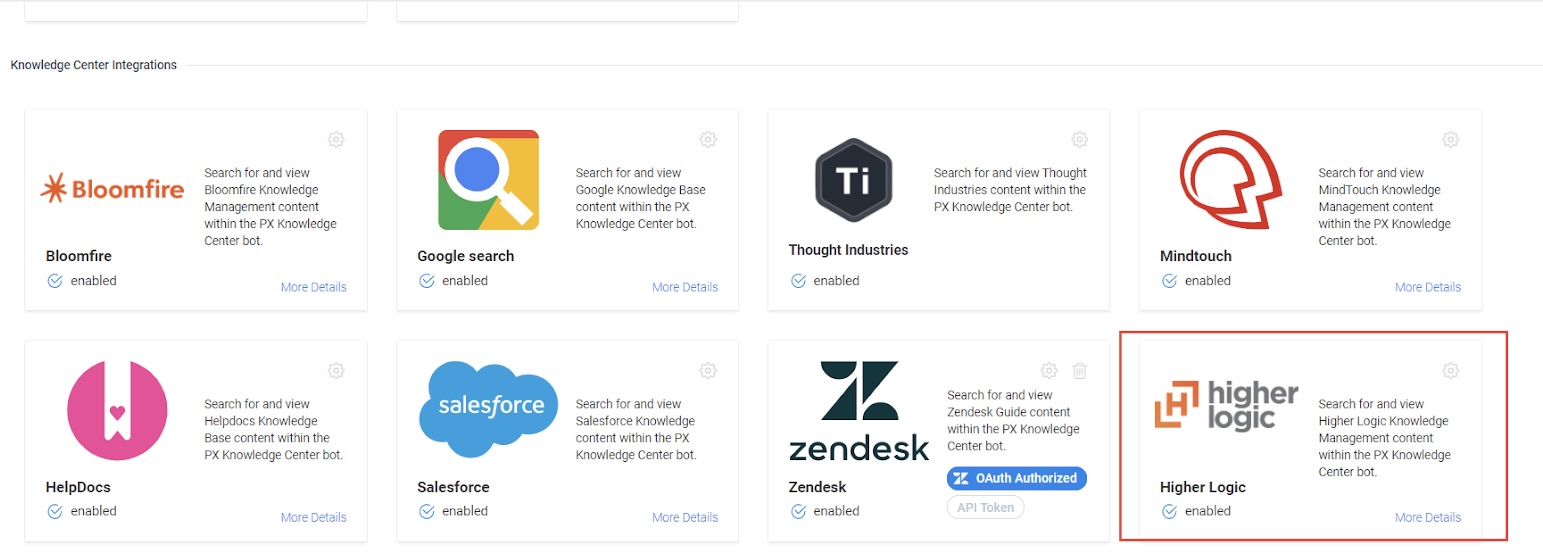
- Click the Settings icon. Higher Logic Knowledge Management window displays.
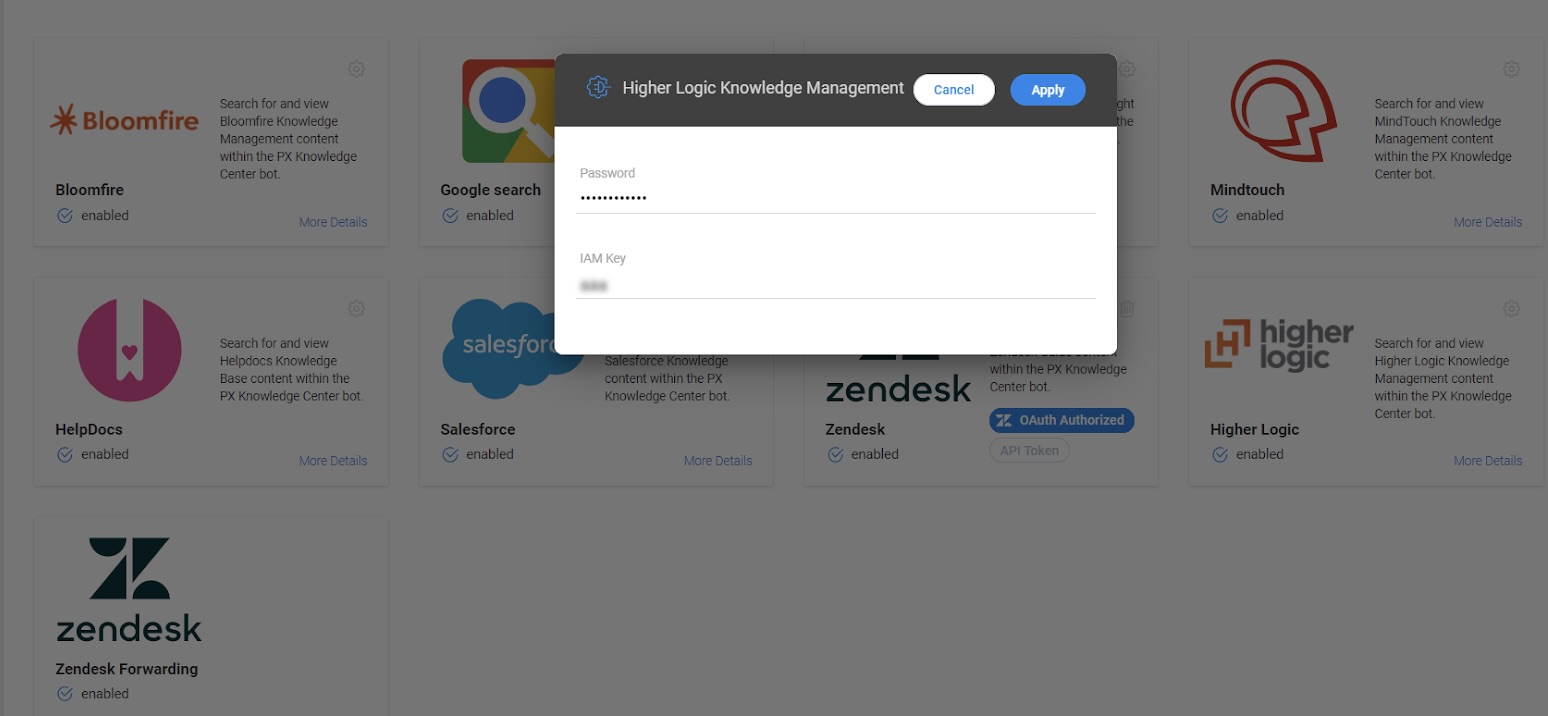
- Provide the Password and IAM Key and click Apply.
You can now verify the integration by navigating to In-App Hub.
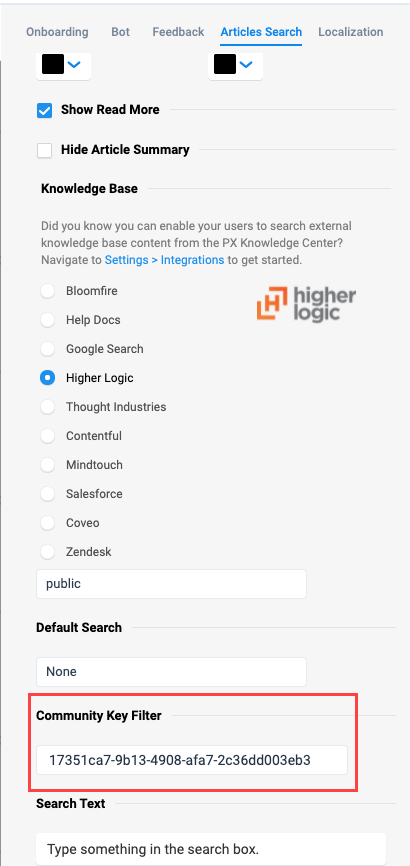
Configure Community Key Filter for Article Search
You can now configure Community Key Filter from Higher Logic in the Article Search section so that the search results are narrowed down by the filter criteria.
Validate Integration
To verify if the integration is successful:
- Navigate to the required In-App Hub.
- In Editor, click the Articles Search tab.
- From the list of Knowledge Base, select Higher Logic.
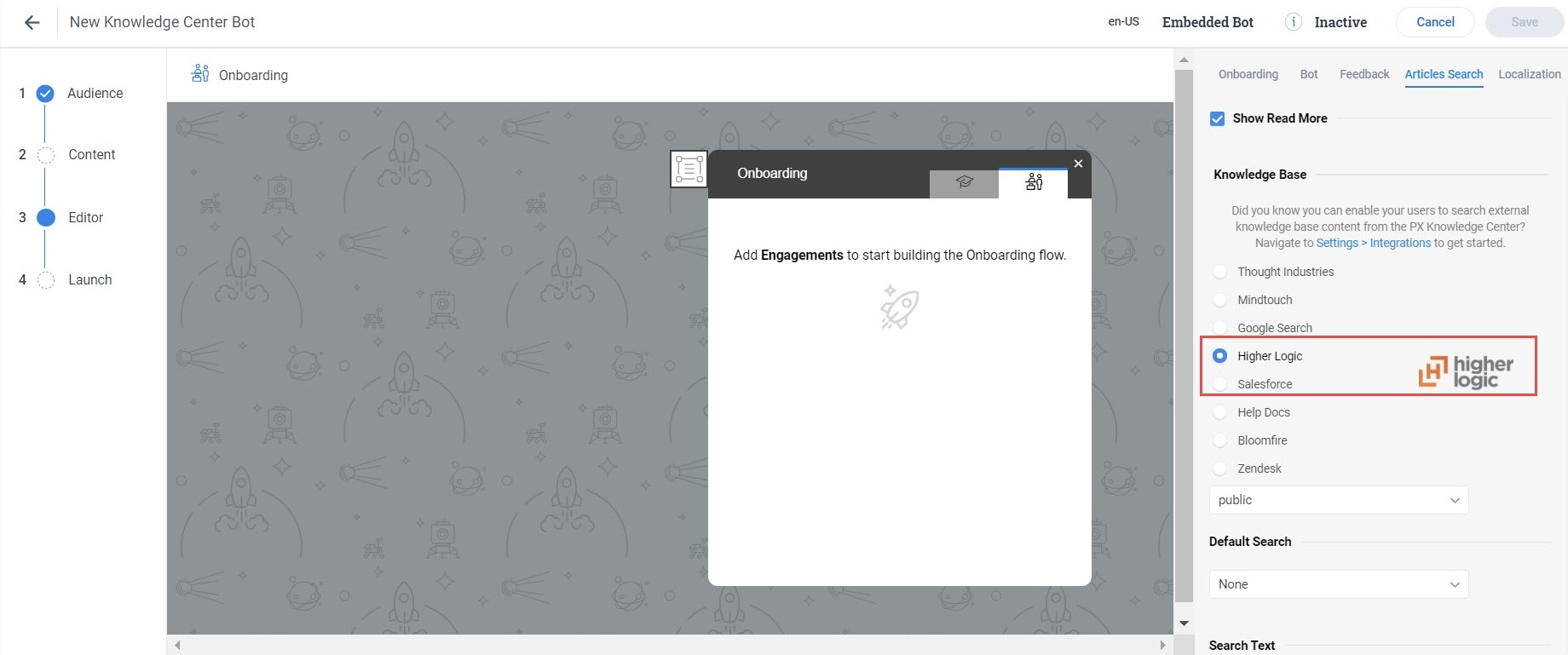
Users can now search and view content from Higher Logic Content Management System in the Knowledge Base tab of the In-App Hub.