Overview
This report allows you to review assignments submitted by learners within a specific course. You can provide feedback to learners by sending them an email directly from the report.
Key Terminology
Learner Details:
Column 1: Learner first and last name
Column 2: Learner email
Assignment Name: The name of the assignment.
Course: The course in which the assignment was submitted.
Course Attempt Number: The number of attempts the learner made for the course when the assignment was submitted.
Submitted At: The date when the assignment was submitted.
Run the Report
To run the report:
Use the Search Bar on the left side of your screen to find a specific learner's submissions.
By default, the report displays all assignments, courses, and groups at any time. To customize the filters, click on Edit to open the filter drop-down menu. Make your selections and click Apply.
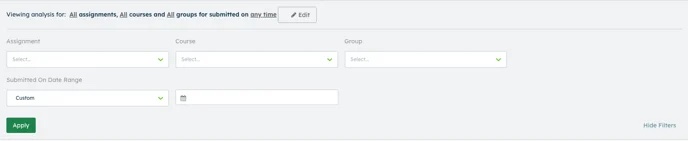
The report will display the search results, showing which learners took specific courses, the number of course attempts, and submission times.
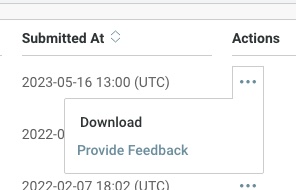
In the Actions column, you can email the learner to provide feedback on their submission by clicking Provide Feedback.
To download the assignment, click Download.