This article provides you with information about which learners have or have not completed the courses.
Overview
The Course Completion report indicates whether a learner who enrolled in a course has completed it. For more detailed information, such as progress percentage and last activity completed, use the Multiple Course Analysis.
Run the Course Completion Report
By default, this report displays all learners who have completed courses. You can adjust the filter to show learners who have completed the course, those who haven't, or both. Additionally, you can apply any desired filters. The available filters in this report include
Course Name,
Group Name,
Learner Name,
Learner Email,
Completion Status (“Yes/No” options)

After setting up the filters click on the refresh button on the right, and the report is generated.
To download the report:
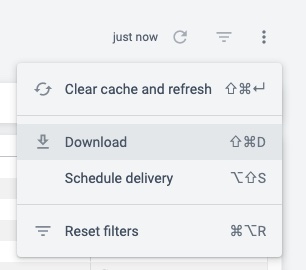
Open Dashboard menu
Click the three dots menu icon in the top right corner and click Download.
Select the format of the file (PDF or CSV), and adjust its settings.