
Missing Contacts Report
This article describes how users can identify and add missing stakeholders to your CRM using the Missing Contacts report in Staircase AI.
Overview
The Missing Contacts report helps Customer Success teams identify stakeholders who are actively communicating with your organization but are not yet added as contacts in your Customer Relationship Management (CRM) or Gainsight CS. By surfacing these gaps, the report ensures your contact data stays complete and up to date without requiring manual data entry.
How Are Missing Contacts Detected?
Staircase AI automatically creates stakeholder profiles from all communication channels associated with an account. The Missing Contacts report then cross-references these detected stakeholders against your CRM and surfaces any contacts that are not currently on the account record.
The following communication channels are analyzed:
- Emails: Contacts detected from email threads associated with an account.
- Meetings: Participants identified from meeting transcripts or invites.
- Support Tickets: Users who have submitted or commented on support tickets.
- Chats: Contacts identified from chat-based communications.
Since the report pulls contacts from all communication types, it may include end users who have only interacted through support tickets and not through direct CS communication. You can review and selectively choose which contacts to add to your CRM from the report. You are not required to create all detected contacts.
Use the Missing Contacts Report
The Missing Contacts report gives you full control over which contacts you want to add to your CRM. You can review all detected contacts and selectively create only those relevant to your account management.
Bulk Contact Creation
From the Missing Contacts report, you can bulk create contacts directly in your CRM using a simple checkbox selection. This eliminates the need to manually add contacts one by one.
To create contacts from the report:
- Log in to Staircase.ai
- Navigate to Reports > Missing Contacts. The Missing Contacts report appears.
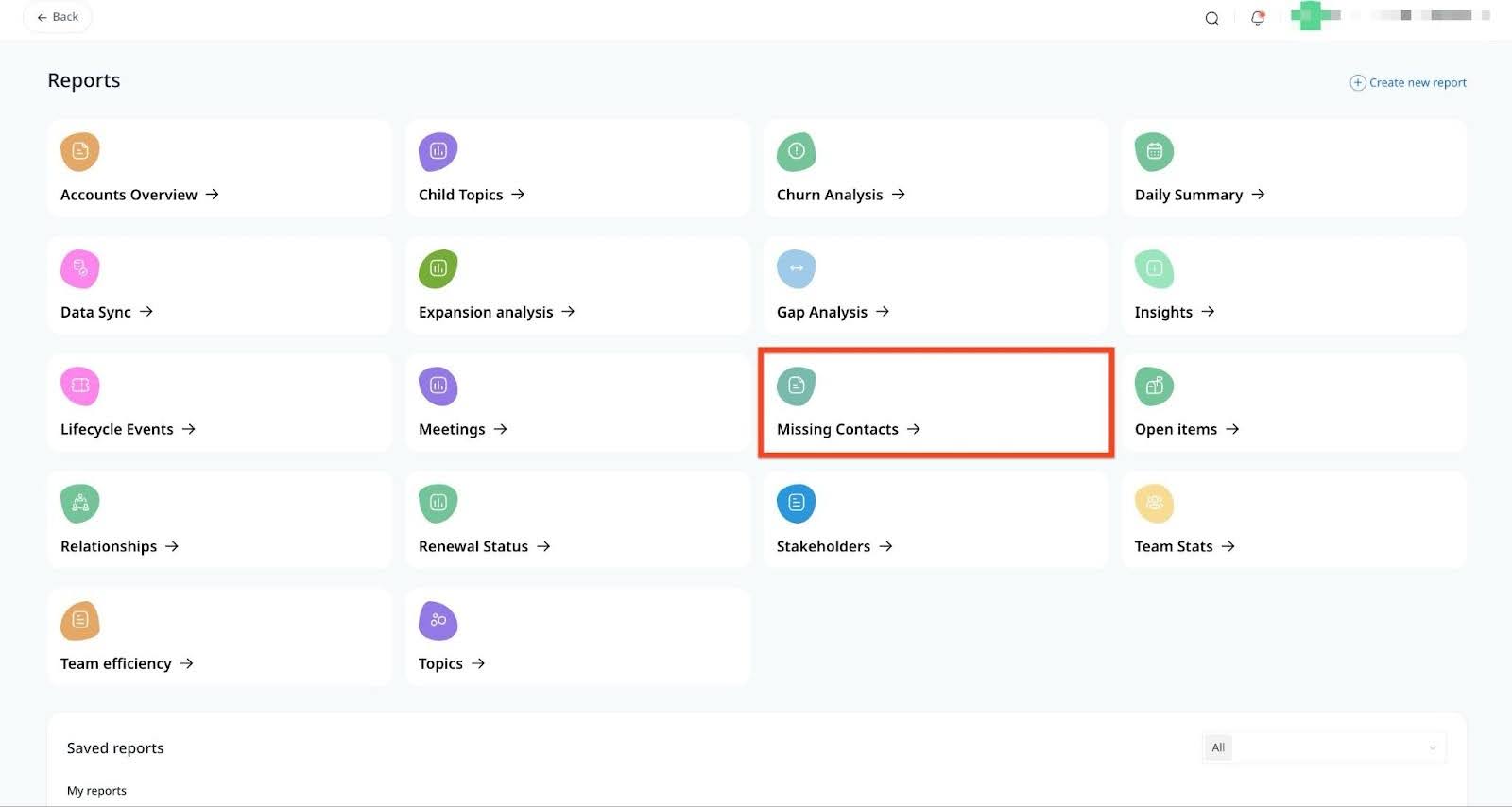
- Review the list of detected contacts.
- Select the checkboxes next to the contacts you want to add. If you want to add only specific contacts, for example, excluding end users who only submitted support tickets, you can manually select the relevant contacts from the report before creating them in your CRM.

- Click Create in Gainsight / <your CRM> to add the selected contacts to your CRM.
If you select a contact for creation but it continues to appear in the Missing Contacts list, it indicates that the contact already exists in your CRM under a different account that is not part of your Staircase AI accounts. Since duplicate contacts cannot be created, the contact remains in the Missing Contacts report until the associated account is added to Staircase AI.