
January 2026 Release Notes for Skilljar by Gainsight
Release Date: January 27, 2026
Enhancement
AI Tutor: Real-Time Learning Support
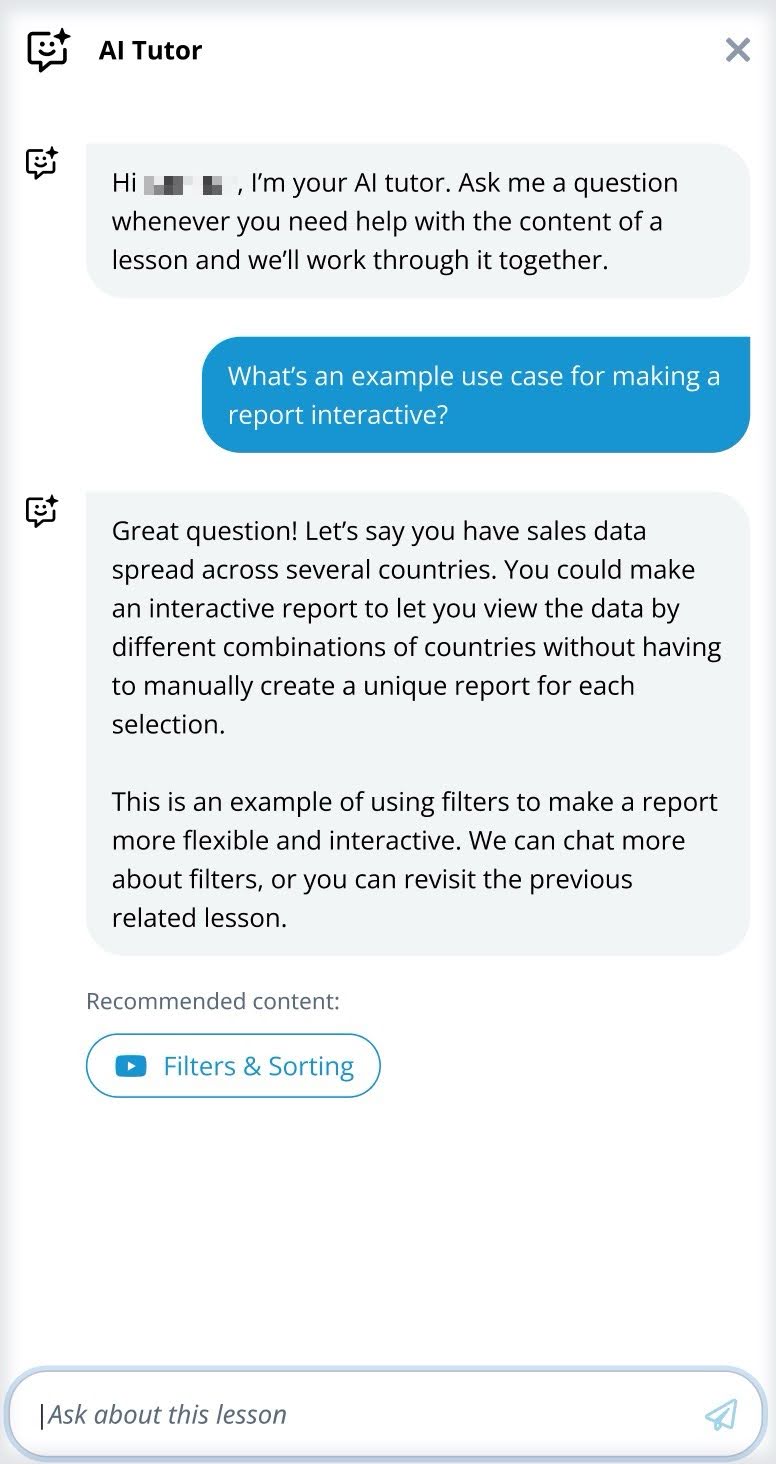
Skilljar by Gainsight is excited to unveil a new AI-powered virtual teaching assistant within lessons. This intelligent chatbot transforms the learning experience by delivering real-time support, instantly answering course-related questions, and providing immediate personalized feedback right when learners need it most.
.jpg?revision=1&size=bestfit&width=363&height=687)
The AI tutor can be enabled for supported lesson types, such as HTML, video lessons with transcripts, and audio lessons.
Key Features
- Real-Time Feedback: Provides instant responses to learner questions, improving engagement and comprehension.
- Personalization Options: Lets you customize the AI Tutor icon and chat accent color to match your training page.
- Improved Accuracy: Delivers more precise and context-aware responses with an enhanced AI model.
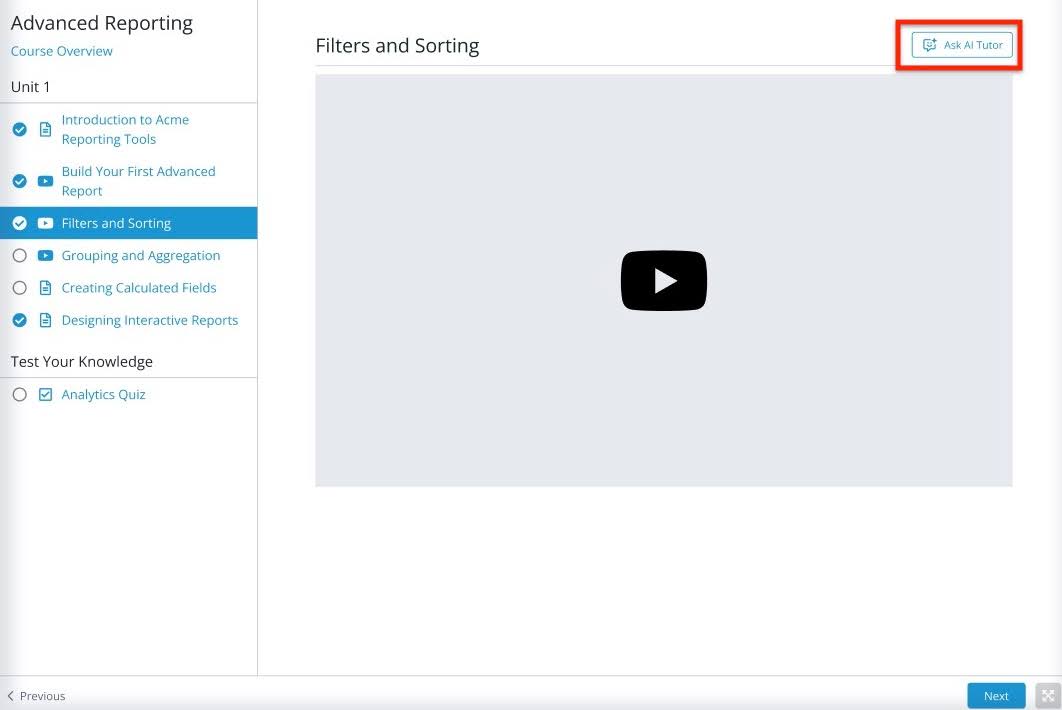
To enable AI Tutor, navigate to Domain Settings > Feature Settings > select the Enable “AI Tutor” feature checkbox.
.jpg?revision=1)
For more information, refer to the AI Tutor article or watch this short video tutorial.
Release Date: January 26, 2026
Enhancement
Course Ratings: Capture Feedback, Elevate Learning
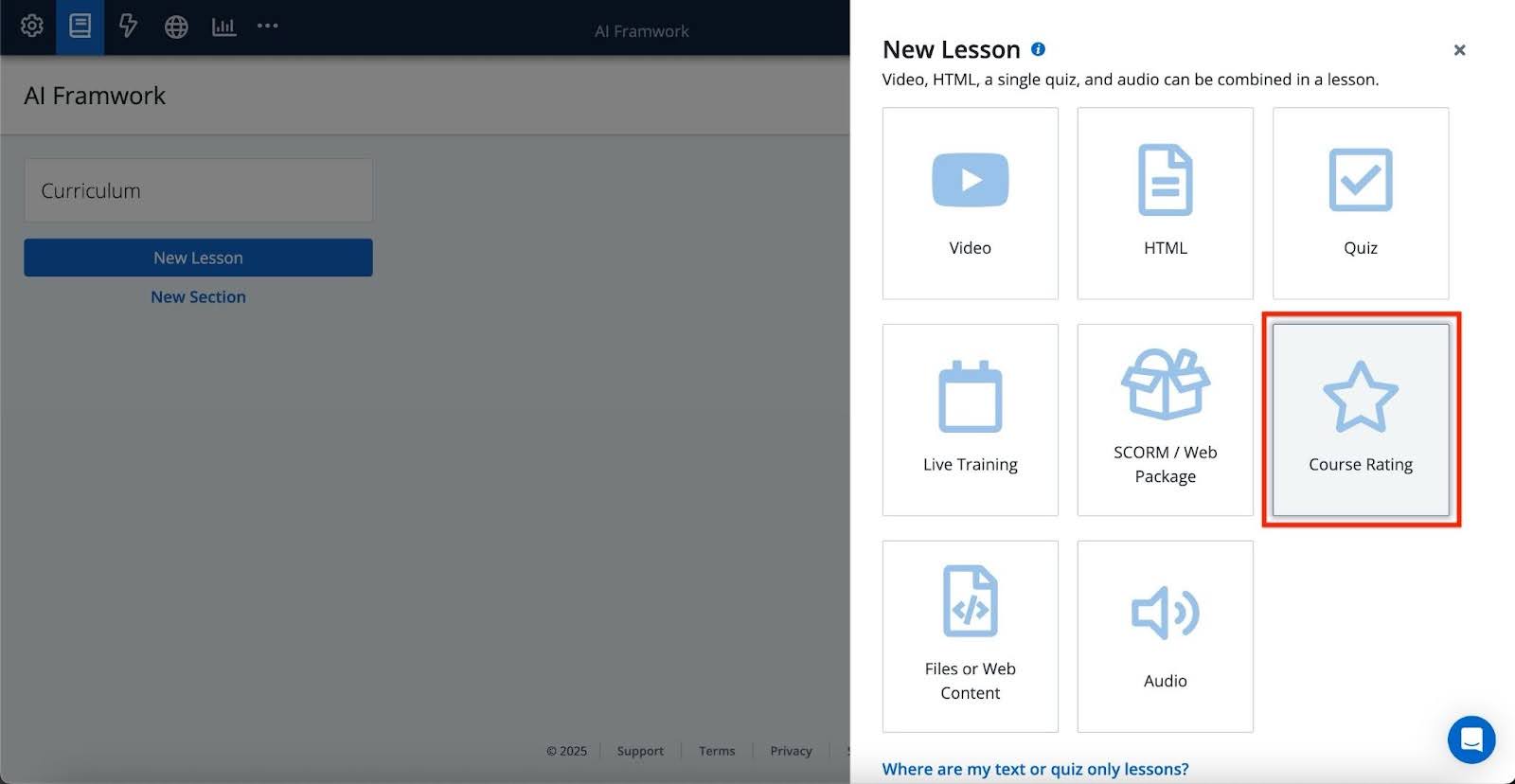
Skilljar by Gainsight is introducing a new Course Rating lesson type that enables you to collect valuable learner feedback at the point of course completion. With this feature, students can rate their experience and optionally leave written comments, providing actionable insights into content effectiveness and learner satisfaction.
Key Features
- Learner Ratings and Feedback: Gather course ratings and optional written feedback directly from learners after course completion.
- Improved Analytics: Course Ratings can be accessed from the analytics dashboard, making it easy to track satisfaction trends across courses.
- Toggle for Feedback Only: Choose whether to collect just numerical ratings or allow learners to submit additional written comments.
Key Benefits
- Understand Learner Sentiment: Uncover how learners perceive your content.
- Improve Course Quality: Use feedback to refine and optimize training materials.
- Measure Impact: Track satisfaction trends across your training program.
.jpg?revision=1)
For more information, refer to the Create Course Rating article.
Release Date: January 23, 2026
Enhancements
Label on Quizzes
Skilljar now supports Label on Quizzes, enabling admins to categorize Quiz Questions using custom labels. These labels enable better performance tracking and analysis of the quiz.
What’s new
You can now add one or more labels to quiz questions during quiz creation or editing. These labels act as metadata, which allows you to:
- Group quiz questions by topic or objective.
- Filter questions in reports.
- Analyze quiz performance.
Why It Matters
Quiz Labels provide deeper insight into learner performance beyond overall quiz scores. By categorizing questions with labels, you can:
- Evaluate performance by topic, skill, or learning objective.
- Identify knowledge gaps in specific areas.
- Measure how well quiz content aligns with educational goals.
- Labels are not visible to learners.
- Labels do not affect scoring or completion.
- Existing quizzes continue to function without labels.
For more information on the quiz label, refer to the Using Labels article.
Self-Service Credly with Skilljar Actions
Skilljar by Gainsight empowers administrators to independently configure and manage Credly badges. With this enhancement, admins can issue or update digital Credly badges based on learner content completion, without relying on external support.
Key Benefits
- Automated Badge Issuance: Configure badge triggers based on content completion outcomes.
- Flexible Issuing Logic: Issue new badges, update existing ones, or both.
- Custom Expirations: Define expiration timelines for each badge, as needed.
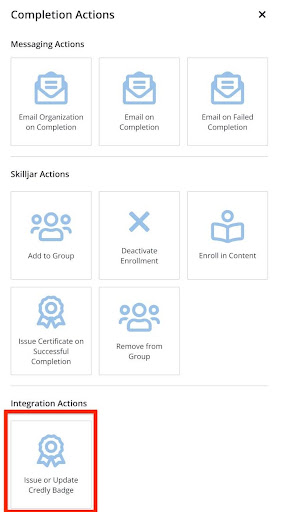
To access the Issue or Update Credly Badge action, navigate to your course > Actions tab > Add Completion Action.
.jpg?revision=1&size=bestfit&width=336&height=615)
The Issue or Update Credly Badge action is only available when the Credly Integration is configured.
For more information, refer to the Skilljar Actions and Credly: Integrate with Credly & Issue Badges on Course Completion articles.
Release Date: January 22, 2026
Enhancement
Organize your Courses with Course Families
Skilljar by Gainsight introduces Course Families, a feature that enables admins to organize and manage course variants, such as translations or audience-specific versions, under a single group. This simplifies both management and reporting for complex learning environments.
Key Features
- Centralized Management: Group related courses (for instance, regional versions, different languages) into one course family for easier access and organization.
- Streamlined Navigation: Locate and manage variants through a dedicated Course Families tab within the dashboard.
- Custom Descriptors: Add internal-only descriptors to each course variant to clarify differences without impacting the learner's view.
- Simplified Reporting: Search, filter, and export data by course family or descriptor name, reducing dependency on custom labels or manual tracking.
Key Benefits
- Improved Operational Efficiency: Manage multiple versions of the same course with fewer clicks and a clearer structure.
- Better Scalability: Support large or global academies that offer tailored content to different audiences.
- Cleaner UI: Provides easy access to course listings and streamlines reporting workflows.

For more information, refer to the Course Families article.
Release Date: January 21, 2026
Enhancement
Smarter Dashboard Homepage
We are excited for the Smarter Dashboard Homepage. The redesigned homepage puts the key academy insights at your fingertips, such as enrollment and completion trends, course engagement, and academy activity. This update is part of our ongoing commitment to streamline your workflows and surface the data you need most, all in one place.
The new layout has been restructured for ease of use, enabling faster decision-making and better visibility into courses.
Key Features
- Quick Access to Course Edits: Easily resume your work with direct links to your most recently updated courses, saving you time and effort.
- Low Engagement Insights: Instantly identify published courses with low or no enrollment and completion activity so you can take action to improve performance.

For more information on how to leverage the new homepage, refer to the Smarter Dashboard Homepage article.