This article is intended for Customer Success Managers (CSMs) and admins who review and act on AI-identified expansion opportunities in Staircase AI.
Overview
The Expansion Opportunities report in Staircase AI provides a consolidated view of all AI-identified expansion opportunities across your accounts. Each row in the report represents a single expansion opportunity tied to a specific account, allowing you to filter, sort, and export at the opportunity level.
The report surfaces opportunities identified by Expansion Analyst by analyzing customer communications to identify potential revenue growth signals. The report opens on the last 90 days by default and shows the newest analysis first.
For more information on how Expansion Analyst identifies opportunities, refer to the Expansion Analyst article.
Key Capabilities
View all expansion opportunities across your accounts in a single list
Filter opportunities by Account, Category, and Momentum
Sort and search the opportunity table to prioritize accounts that require attention
Export the report for sharing and offline analysis
Example Business Use Case
A CSM managing a large portfolio of accounts wants to identify expansion opportunities before the next quarterly business review. With the Expansion Opportunities report, the CSM filters the report by Category set to Up-sell and sorts by AI confidence to surface the strongest opportunities first. The CSM then exports the report to share with the account management team ahead of the review.
Access the Expansion Opportunities Report
To access the Expansion Opportunities report:
Log in to Staircase AI.
Select Reports from the left navigation pane. The Reports overview page opens.
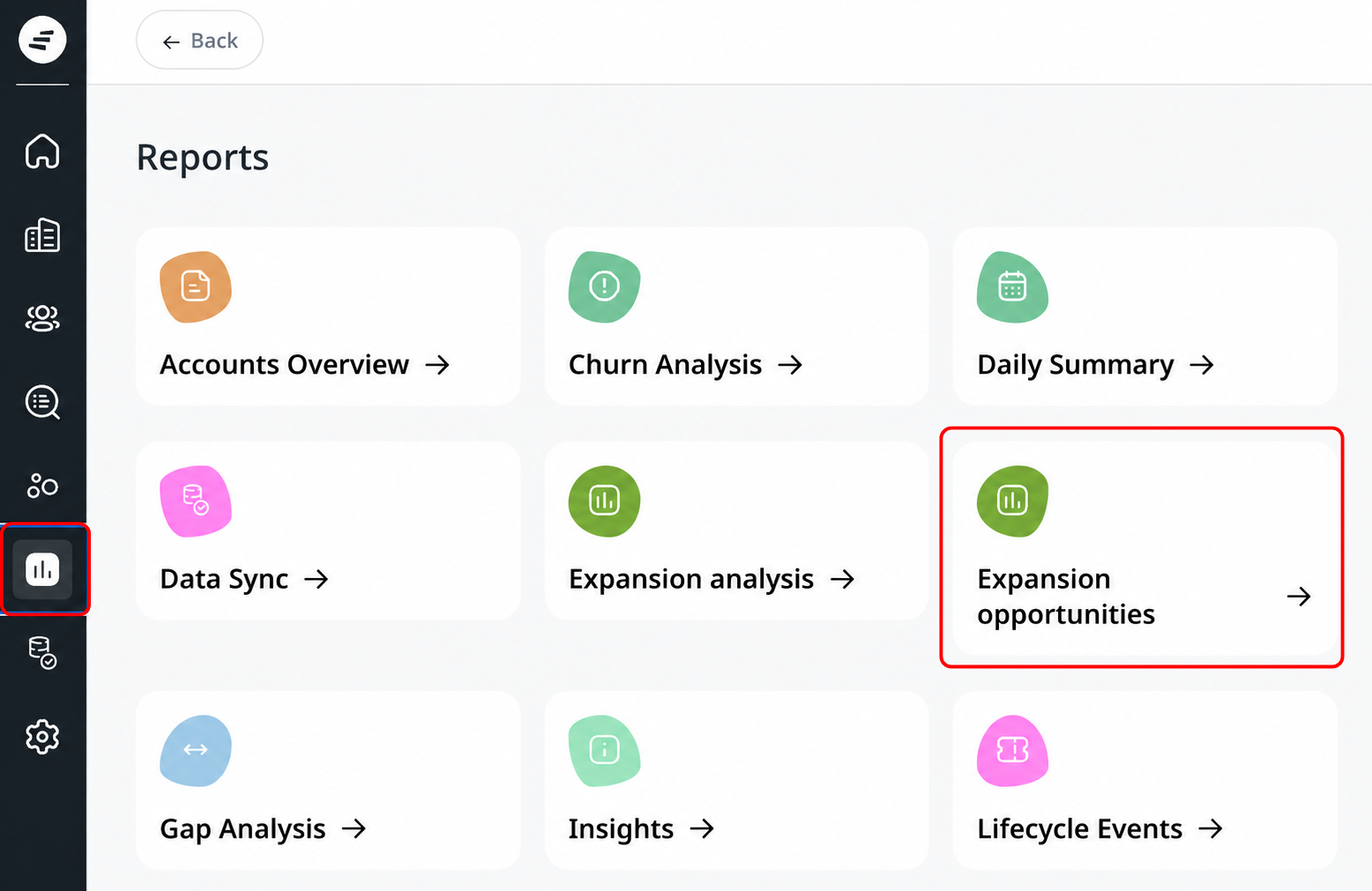
Select Expansion opportunities. The report opens and displays all matching records based on the default filters.
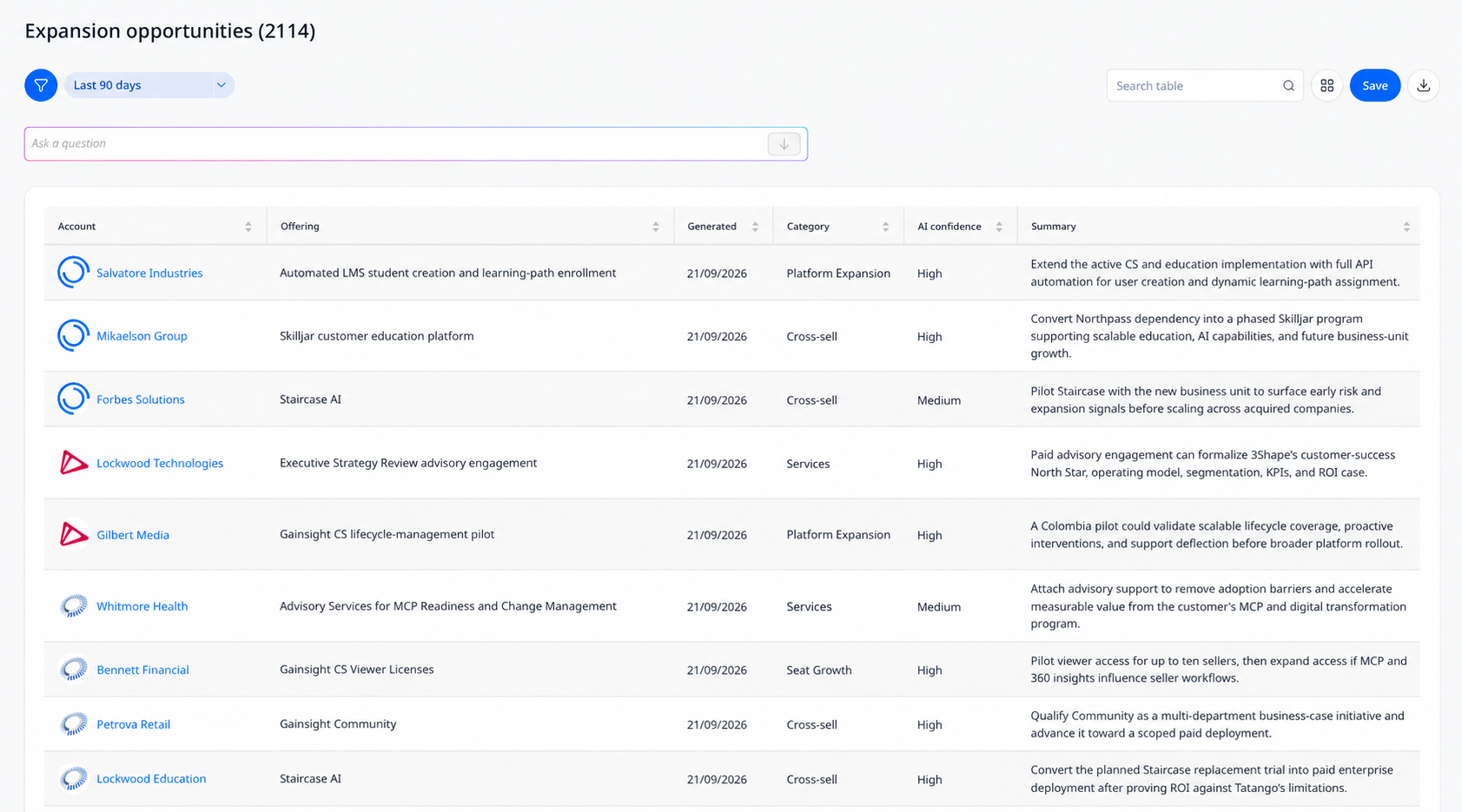
The report displays the following default columns:
Column | Description |
|---|---|
Account | The name of the customer account associated with the opportunity. |
Offering | The specific product, service, or solution identified as an expansion opportunity. |
Generated | The date the opportunity was identified by Staircase AI. |
Category | The type of expansion opportunity, such as Up-sell, Cross-sell, Platform Expansion, Services, or Seat Growth. |
AI confidence | The AI confidence score indicates how strongly Staircase AI identifies the opportunity based on communication patterns and supporting data. |
Summary | An AI-generated summary of the expansion opportunity and recommended next steps. |