This article helps admins configure Permission Bundles to allow CSMs to work with Spaces widgets and layouts.
Overview
As an admin, you must configure Permission Bundles before CSMs can access and use Spaces. These permissions control what CSMs can view and do within Spaces layouts and widgets.
Configure Permission Bundle
To assign navigation and feature-level permissions:
Navigate to Administration > Users and Permissions > Permission Bundles. The Permission Bundle page appears.
From the Configure Permission Bundle dropdown list, choose Internal Permission Bundle. The New Permission Bundle page appears.
From the Select a License Type dropdown list, select Full to choose the full license user.
In the Access Permissions section, click Configure.
From the left navigation menu, click Navigation Permissions.
From the list of modules, select the checkbox next to Spaces. This allows users to view the resolved Spaces layout for a company or relationship.
Note: For assigning admin permissions, navigate to Navigation Permissions > Administration > Spaces Configuration.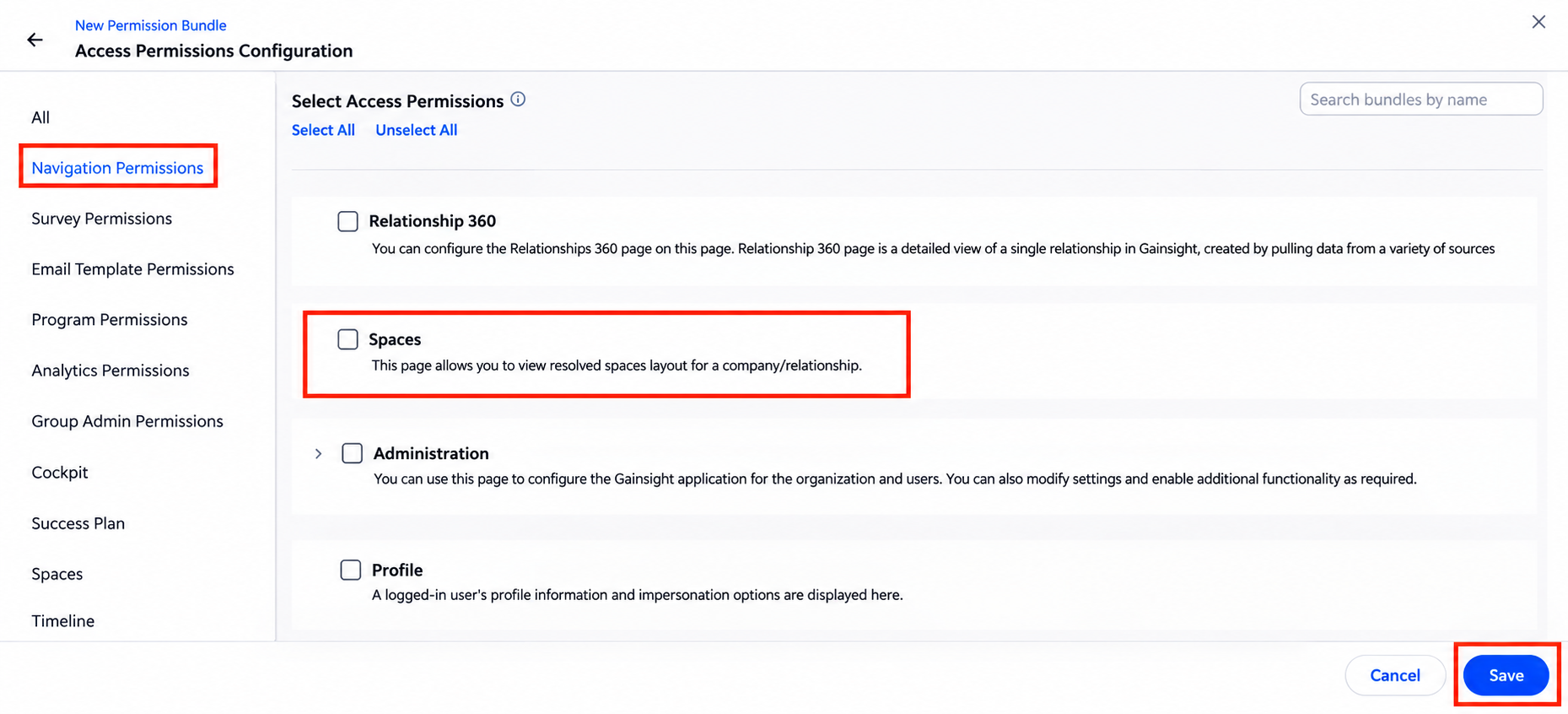
Click Spaces from the left navigation menu or from the Select Access Permissions view.
From the list of permissions checkboxes, select all that apply.
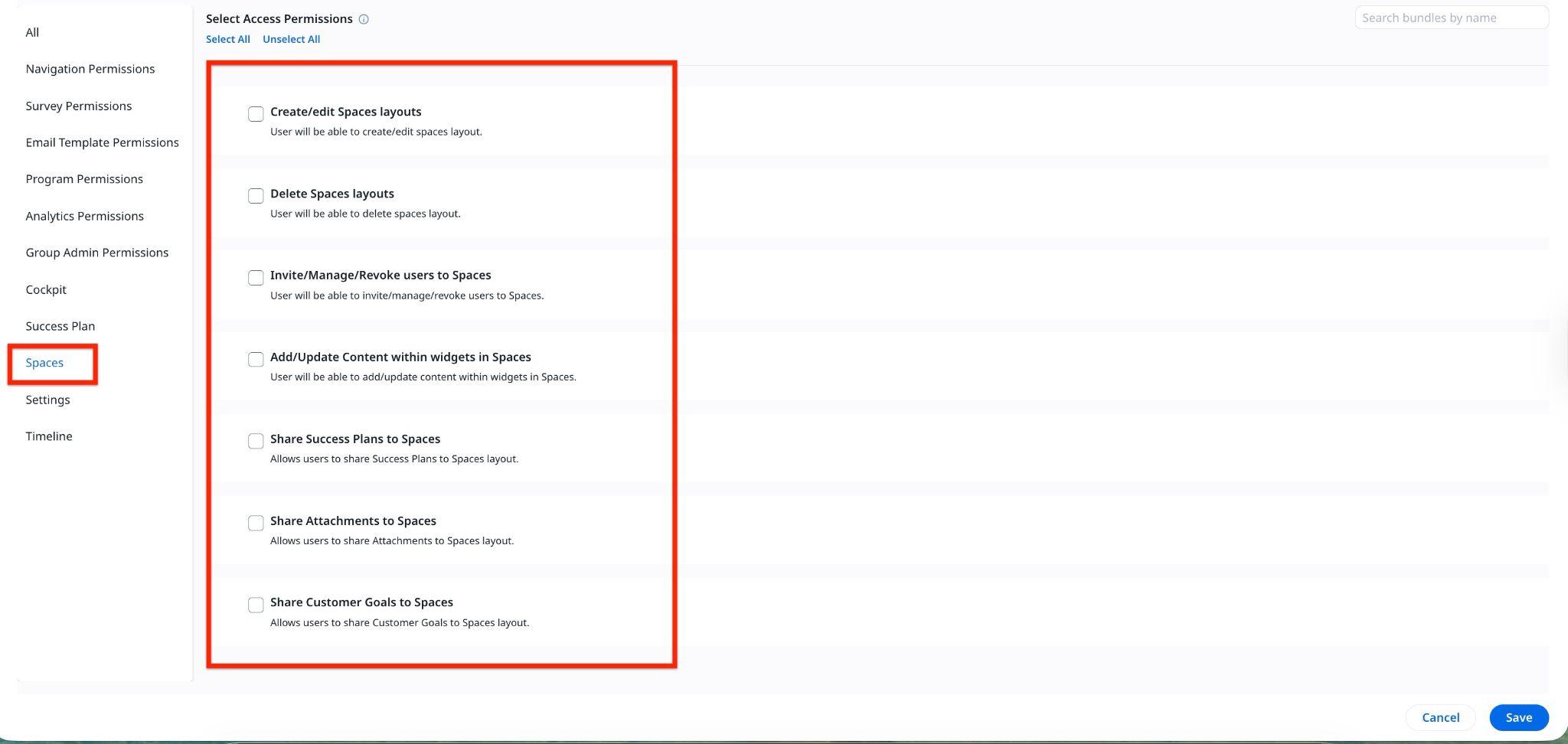
Click Save. All required permissions are saved.
Spaces Permissions
The following table describes the available Spaces permissions:
Permission | Description |
|---|---|
Create/edit Spaces layouts | CSMs can create and edit Spaces layouts. |
Delete Spaces layouts | CSMs can delete Spaces layouts. |
Invite/Manage/Revoke users to Spaces | CSMs can invite, manage, and revoke users to Spaces. |
Add/Update Content within widgets in Spaces | CSMs can add and update content within widgets in Spaces. |
Share Success Plans to Spaces | CSMs can share Success Plans to Spaces layouts. |
Share Attachments to Spaces | CSMs can share Attachments to Spaces layouts. |
Share Customer Goals to Spaces | CSMs can share Customer Goals to Spaces layouts. |
Next, read: Configure Spaces Layouts