Copy the web address/URL of a published course so you can paste and share it.
Open your Skilljar Dashboard, and select Domains & Publishing or expand the Domains & Publishing header on the right and select Domains to open the Domains page.
Find the domain with the course you want to share and select Published Courses.
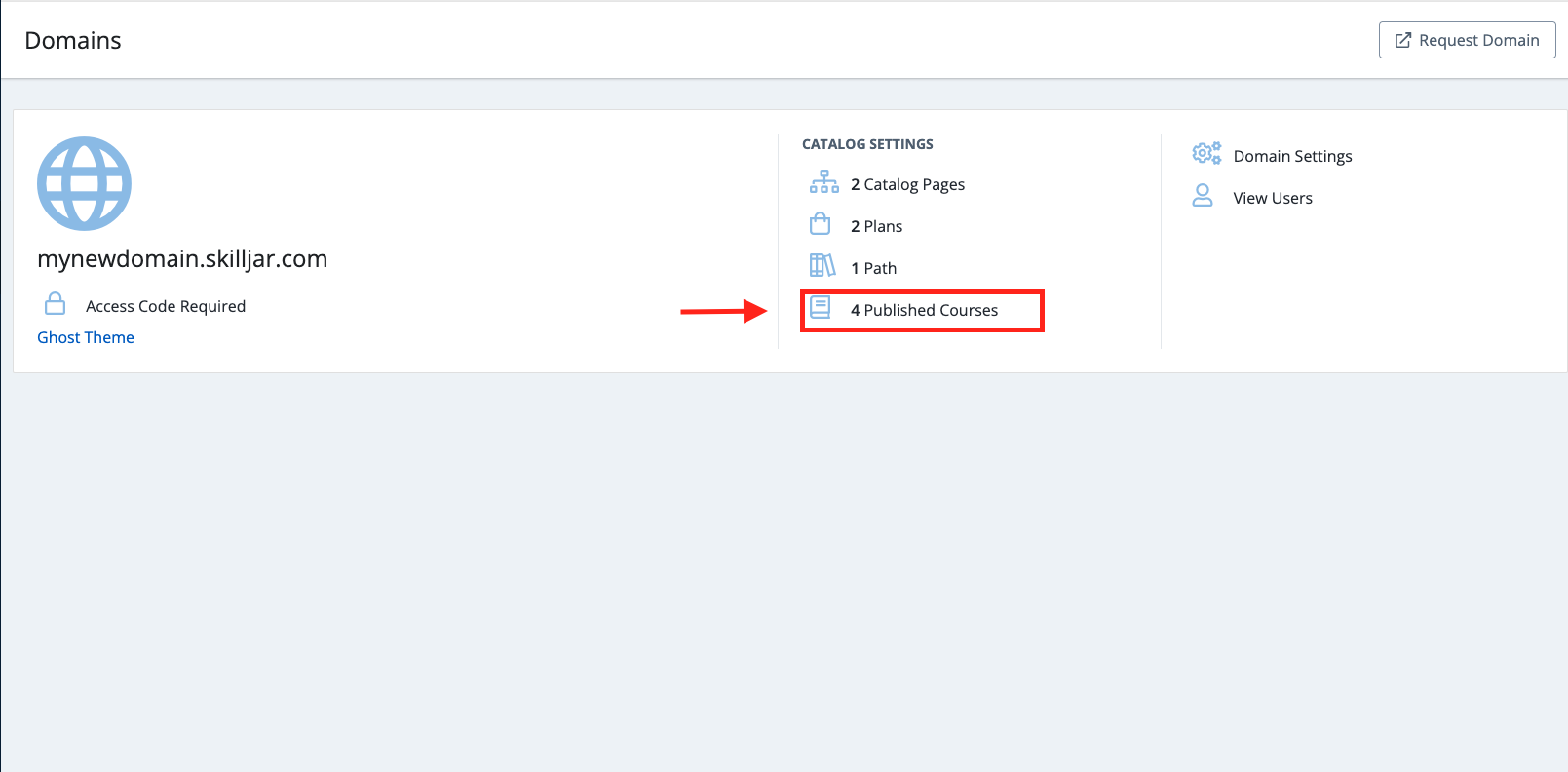
On the next page, select the name of the course you want to share to open its settings page. Or use the search bar.
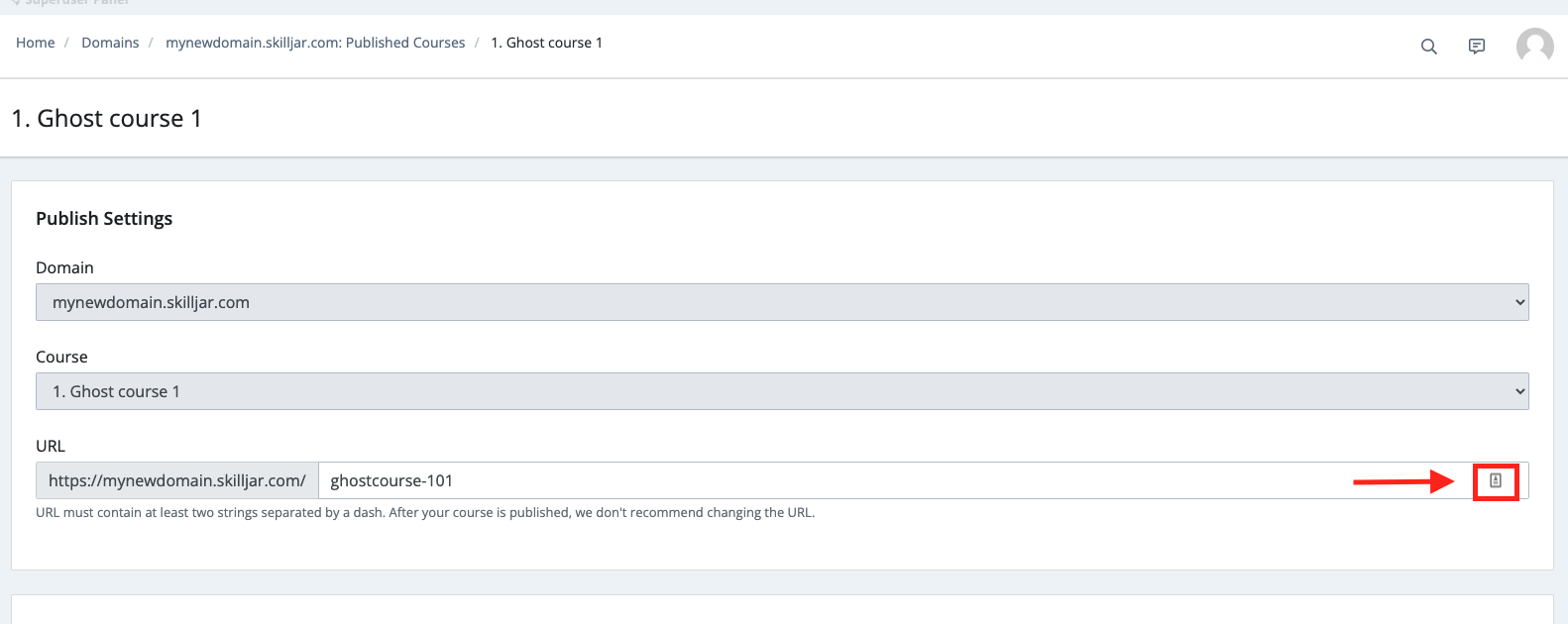
Under Publish Settings, you'll find the web address/URL. Select the copy icon at the right of the text box. This will copy the course URL to your clipboard so you can paste it elsewhere.
If you have any additional questions, don't hesitate to contact our Customer Success team, or Skilljar Support!