If you want to remove a specific student from accessing a private domain, you can revoke their access via your Skilljar Dashboard.
This setting is only available on domains that use an access code.
What's a private domain?
A private domain is any domain in which an access code is required for entry. When you revoke access, the student can only reenter the domain if given a new access code or invited by an admin.
How to remove a student's access from a private domain
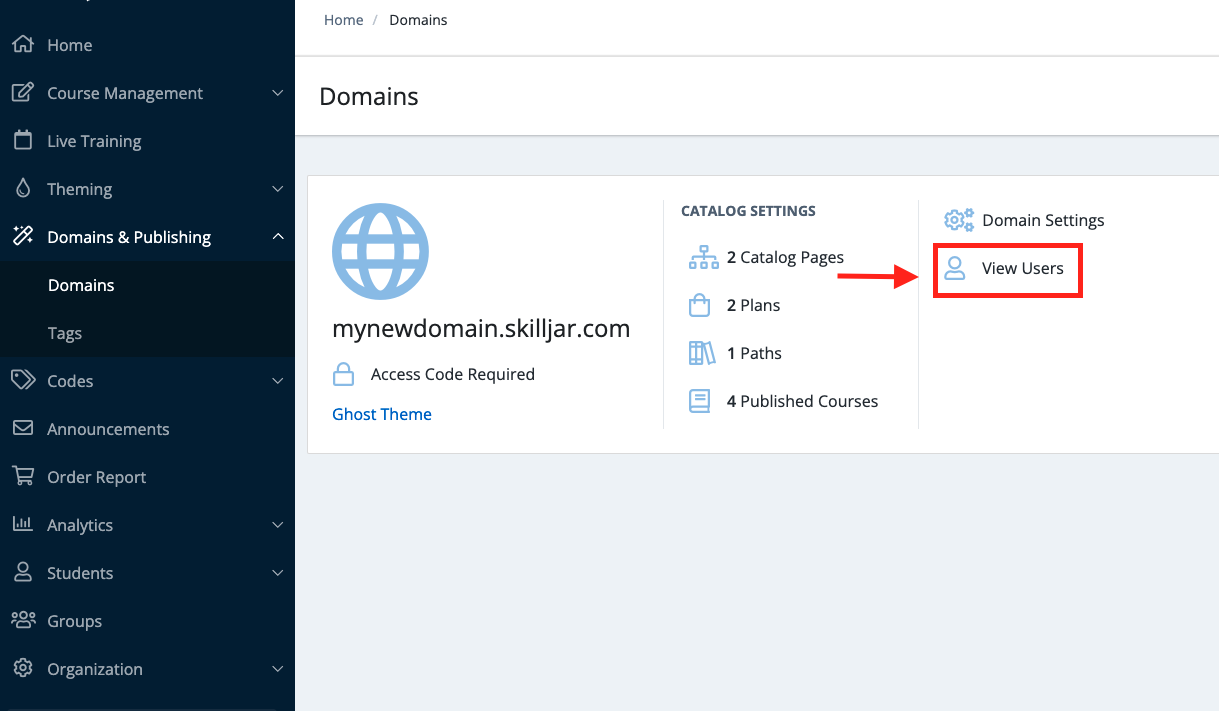
Go to your Skilljar Dashboard and select Domains & Publishing, or expand the Domains & Publishing header on the left and select Domains to open the Domains page.
Find the domain you want to remove the users from and select View Users.
Find the student you want to remove from the domain in the list and select X under the Revoke Access column.

The next time the student attempts to log in to your private domain they'll be asked for a new access code.