If the same user has multiple student records, you can merge them and their associated progress into a single record. Warning: This action can't be undone.
Follow these steps to merge student records:
Log into your Instructor Dashboard (dashboard.skilljar.com)
Navigate to Students
Click on the student record you wish to keep
Click on Admin Actions > Merge Students
Enter the email address of the student you would like to be merged (this student will be deleted as a result of the merge)
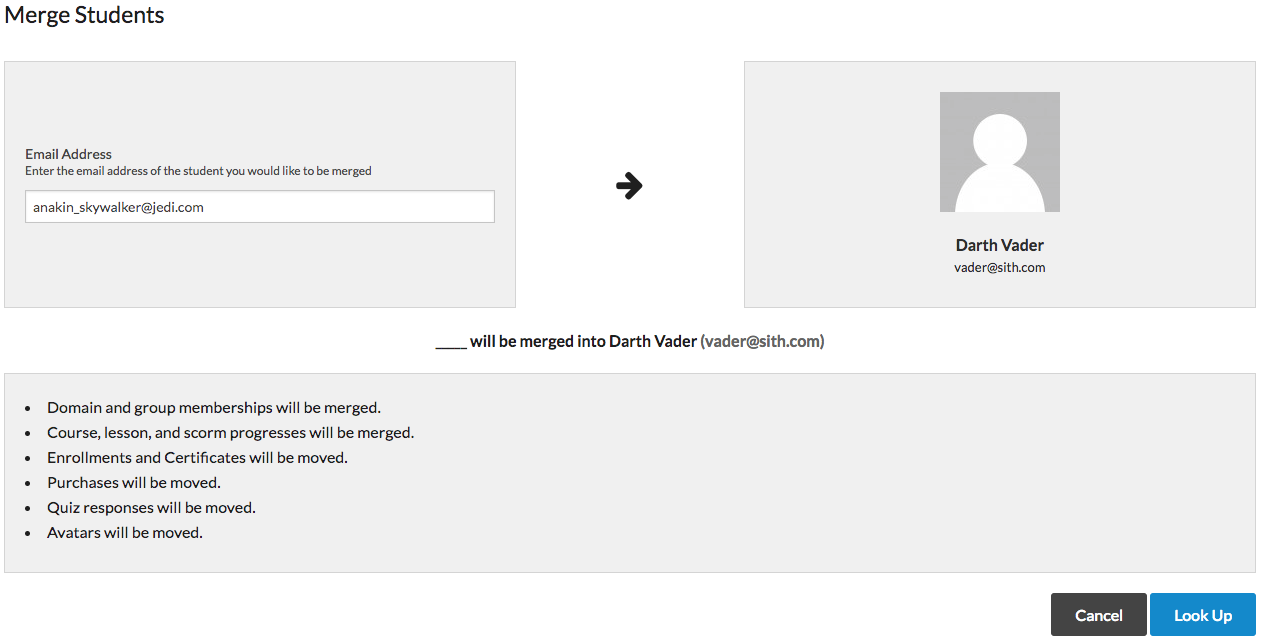
Click 'Look Up' and review the details; to complete the merge, click 'Merge' Warning: This action can't be undone!
 Once complete, you'll see a summary of the merge details:
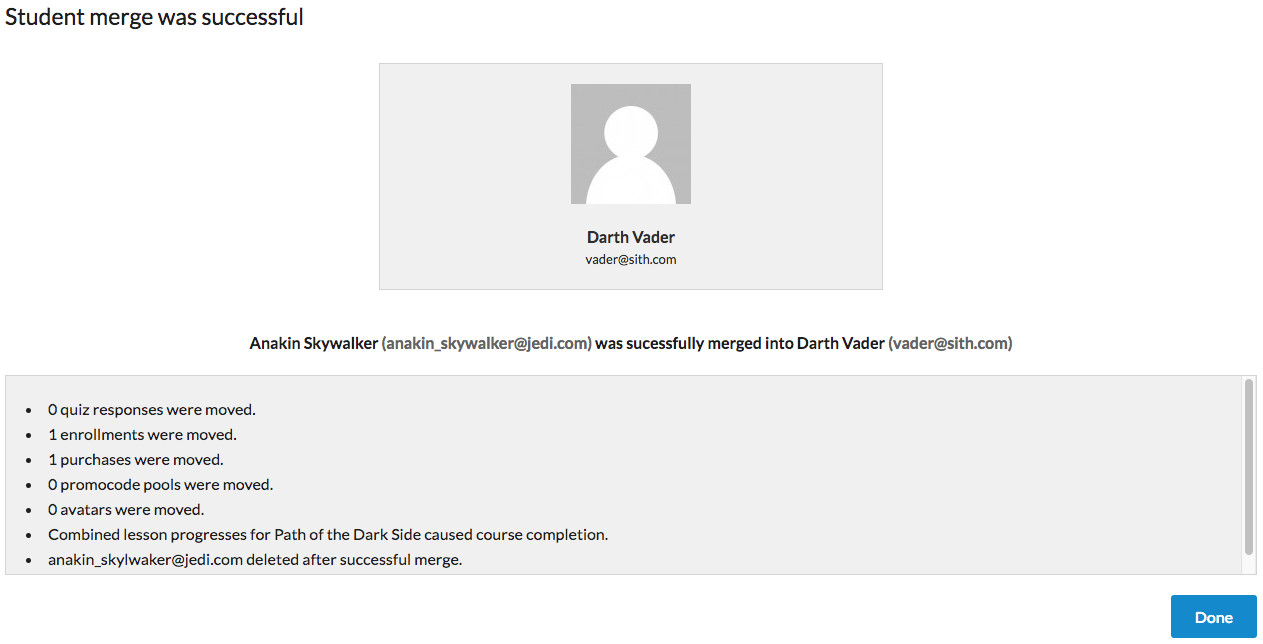
Domain and group memberships will be merged.
Course, lesson, and SCORM progresses will be merged.
Enrollments and Certificates will be moved.
Plan Enrollments will be moved
Learning Path Enrollments and Learning Path Progress will be moved
Purchases will be moved.
Quiz responses will be moved.
Avatars will be moved.
The student whose email you manually entered will be deleted.