Grant or Reset Permissions
Grant Staircase AI permission to analyze client-facing communications from your Google inbox and calendar.
Note
Note: Google Domain Install is recommended best practice.
Step 1
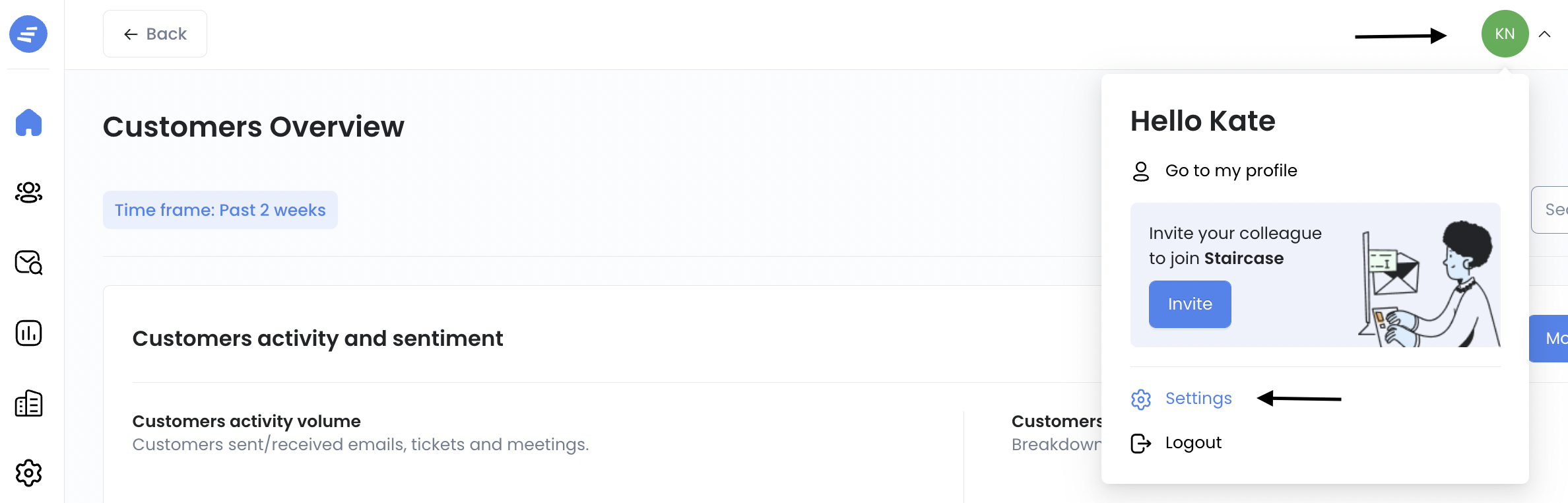
Login and click 'Settings' from your Profile panel in the top right.
Step 2
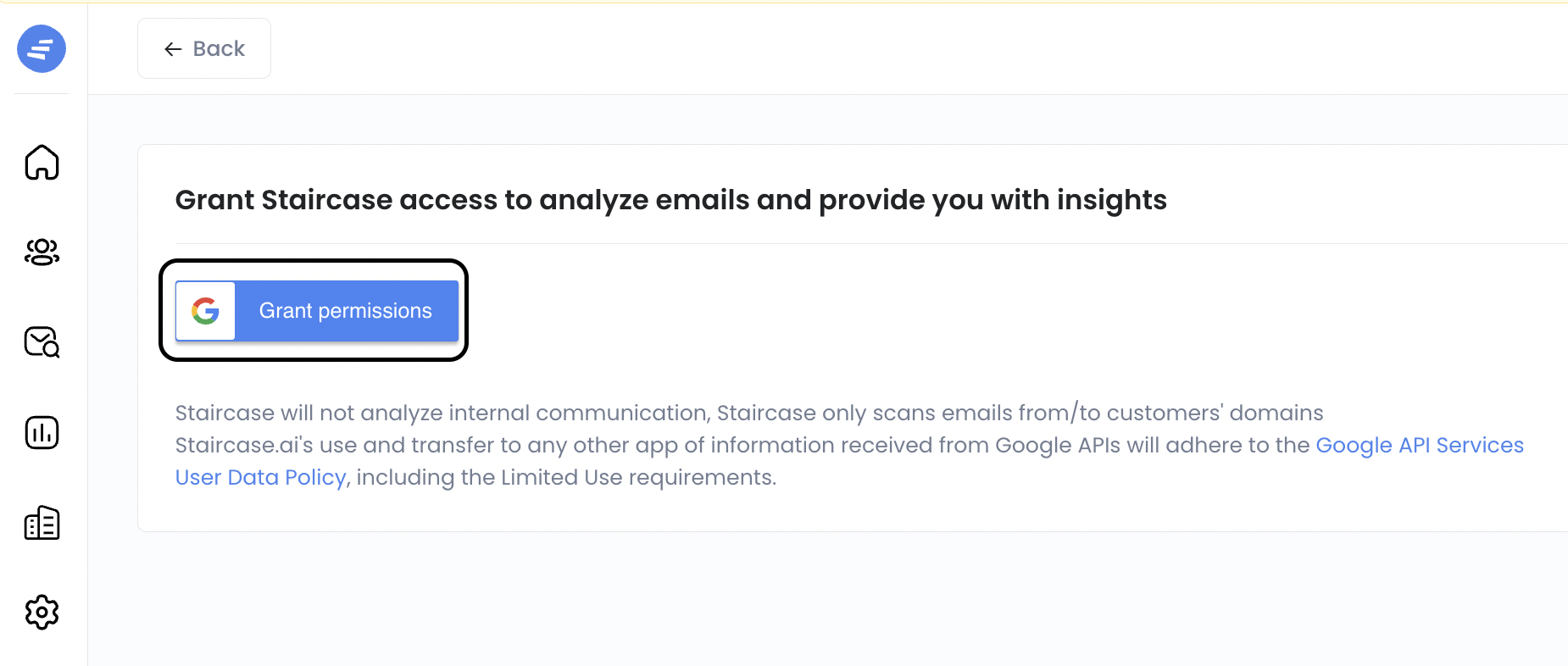
Click 'Grant Permissions' and sign in with your Google username and password.
That's it!
Remove Permissions
Follow these steps to remove or reset access between Google and Staircase.
Step 1
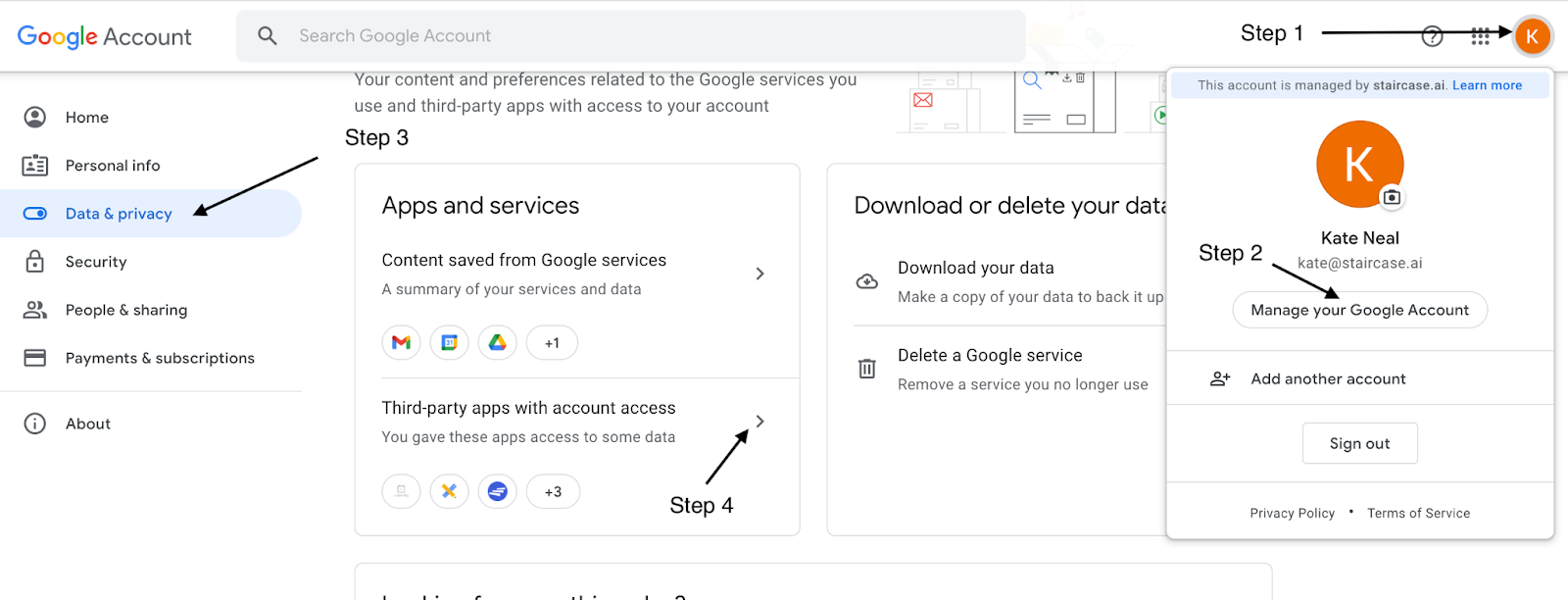
From your Google inbox, click your profile in the upper right corner and click ‘manage your Google account’. Select ‘Data & Privacy’ from the options on the left side and then ‘Third-Party apps with account access’.
Step 2
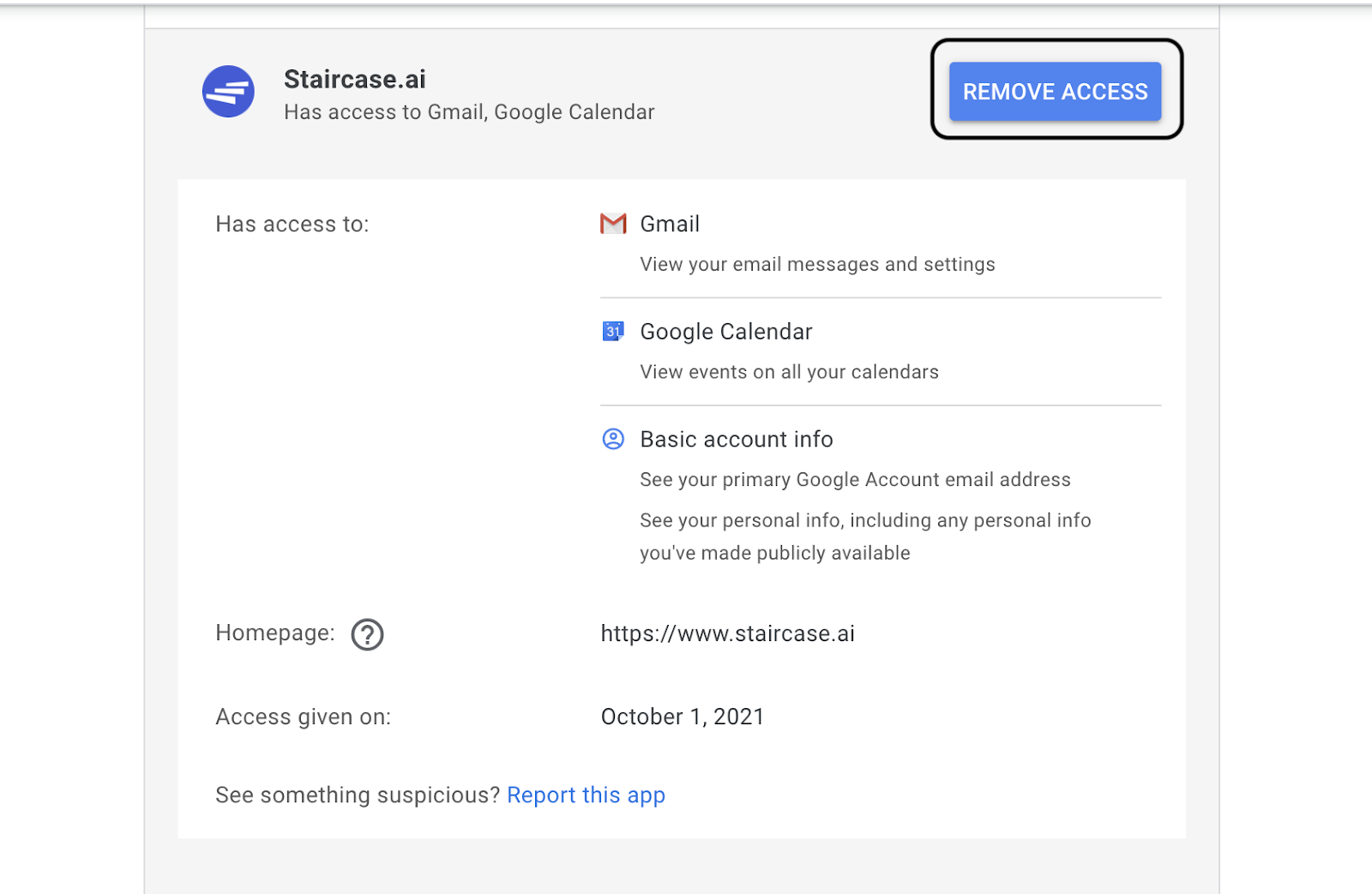
Find Staircase in the list and click on it. From there, you can select ‘remove access’.
Access is now removed.