Gainsight NXT
This tutorial guides admins in the process of configuring a rule in which a CTA is created based on a particular Measure whose Score is low. This tutorial assumes that you have a basic understanding of Rules Engine.
Assumptions
A Measure called Support Ticket exists. This is an automated Measure.
When Support Ticket Measure’s score drops below a minimum threshold level, its Label turns Red.
In the following Rule Configuration, an action is created to trigger a CTA, whenever the Label turns Red for the Support Ticket Measure.
Create Dataset
Navigate to Administration > Rules Engine.
Click + RULE.
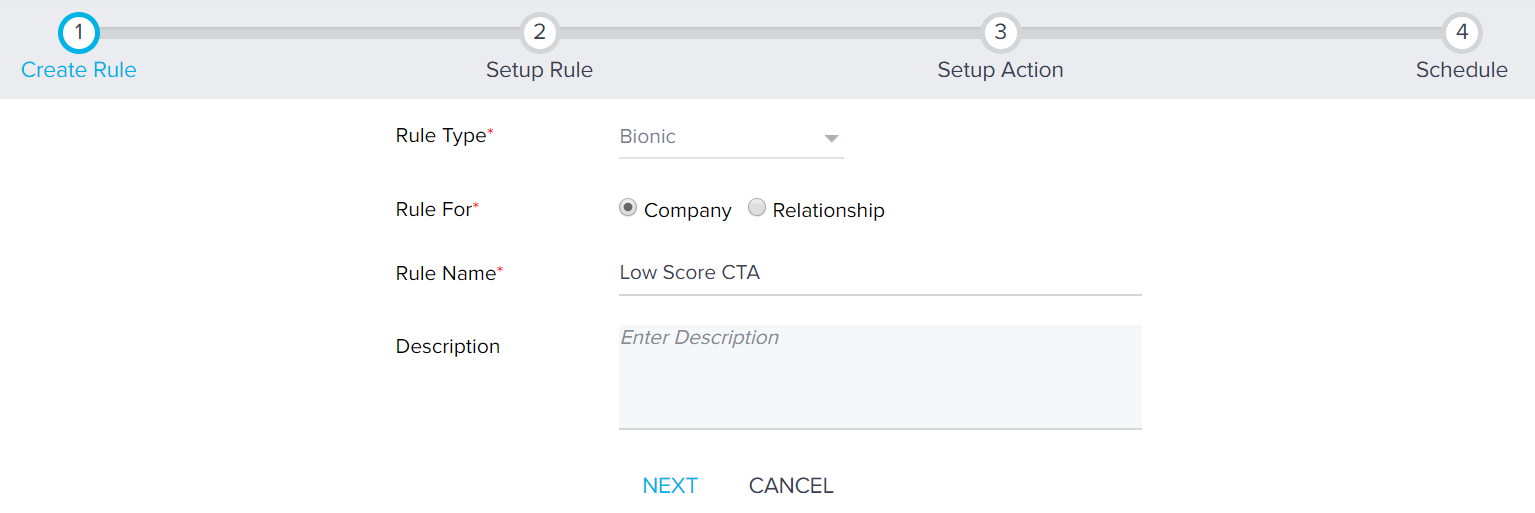
Select the Company option in the Rule For field.
Enter a name for the Rule, in the Rule Name field.
(Optional) Enter a description.
Click NEXT.
Click DATASET.
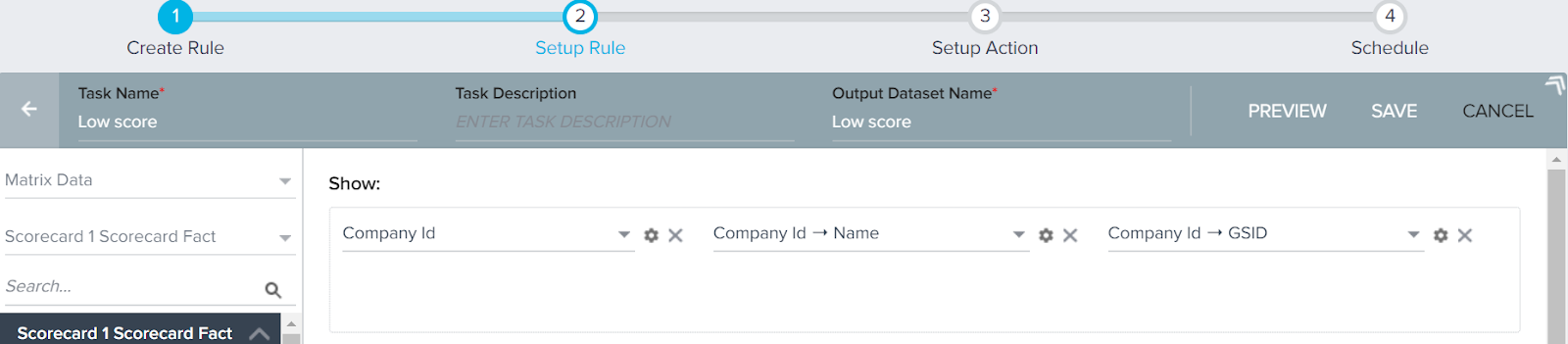
Enter a name in the Task Name field.
Select the required Scorecard Fact object.
Drag and drop Company Id and Company Name, and GSID fields to the Show me section.
Drag and drop the following fields to Filters section.
Company Id -> Current Score -> Label
Measure Id -> Name
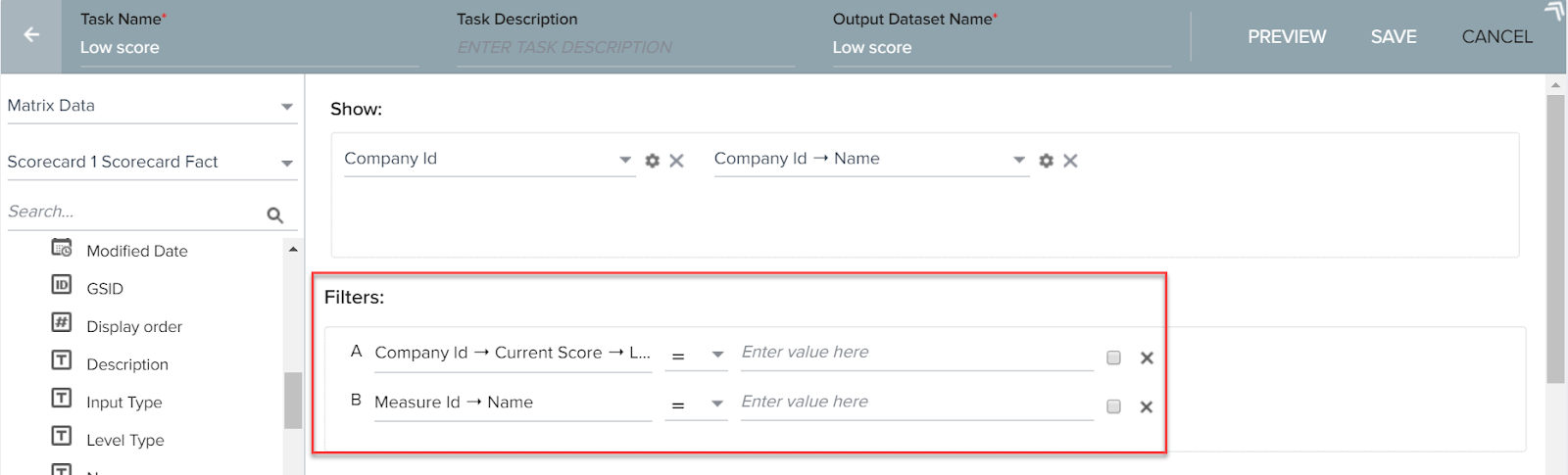
Configure the filters as follows:
Label = Red
Name = Support Ticket
This filter fetches all the Companies whose Support Ticket Measure is Red in Color. You can also select other Measures or other Labels, if required

Click SAVE.
Click Setup Action.
Setup Rule Action
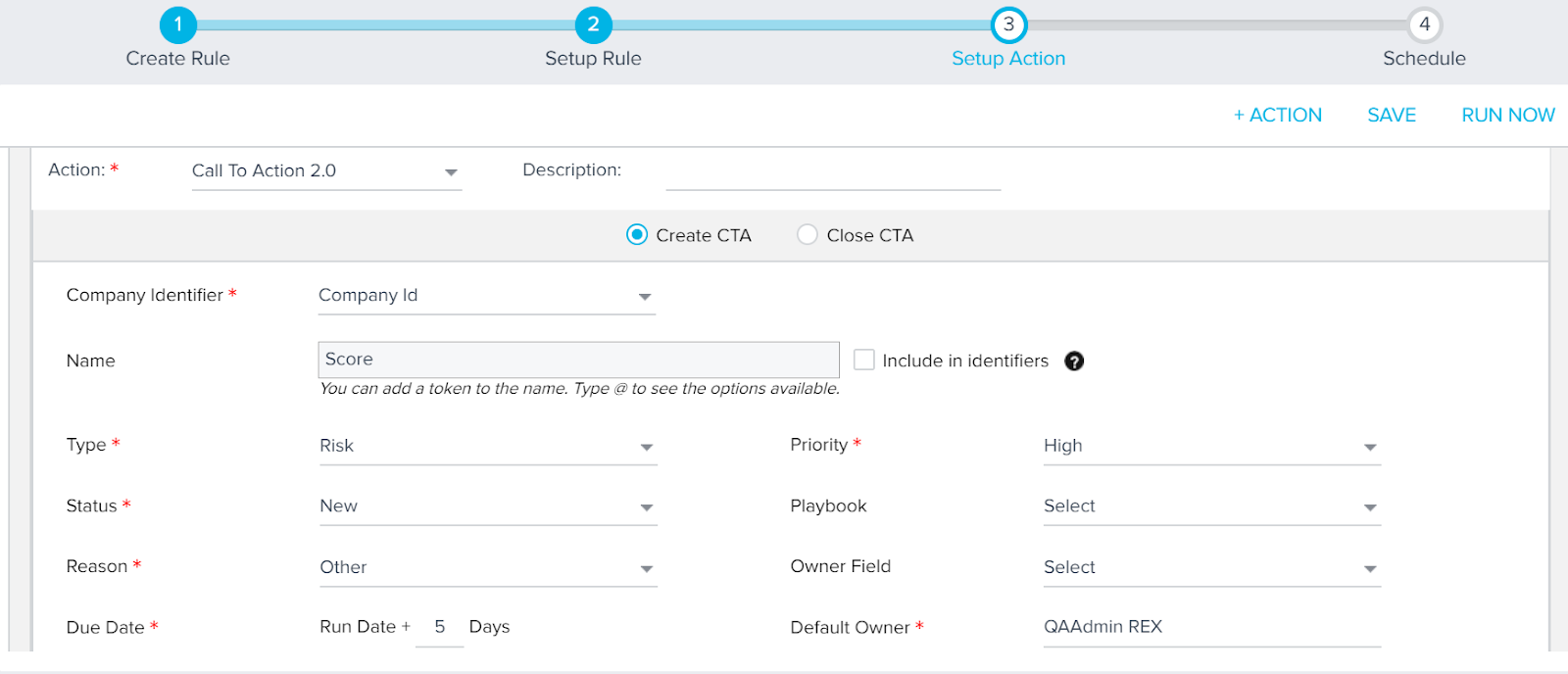
Click + ACTION.
Select Call To Action 2.0, as the Action Type.
Select Create CTA option.
Create Risk as the CTA type.
Select High as CTA Priority.
Configure the remaining CTA fields.
Click SAVE.