Learners can only view Courses that are assigned to them and Courses from Groups they are added to.
Assign a Course to a Learner
Click on the People tab at the top of the page.
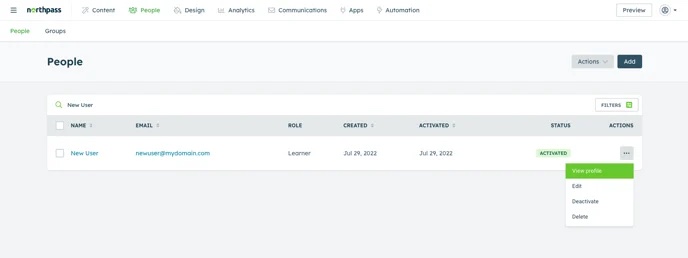
Using the search bar look for the Learner.
After finding the Learner, either click on their name or on 3 dots on the right > View Profile.
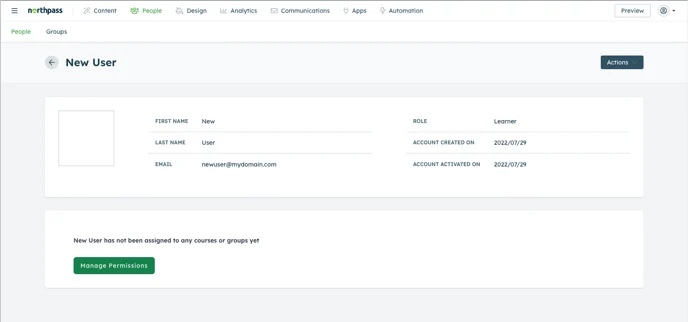
Scroll to the bottom of the page and click on Manage Permissions.
Look for Courses and click on Edit.
Select Courses you’d like to assign the Learner to. You can assign them to multiple Courses at once.
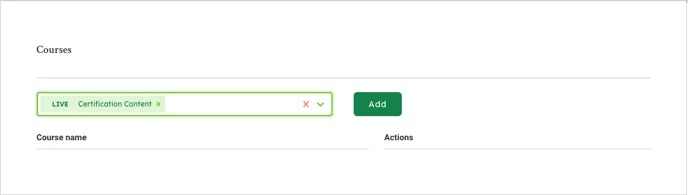
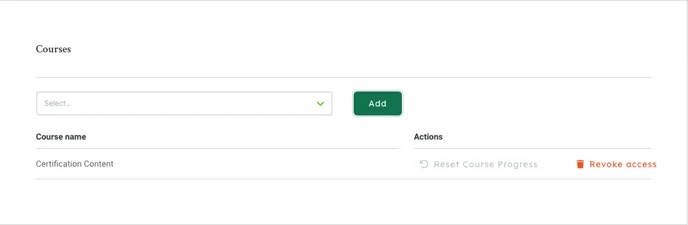
After clicking Add, you can exit the Edit pop-up. Added Courses should appear under the Courses section.
Note:
To quickly assign a Learner to multiple Courses, we recommend using Groups. Learn more about them in this article: Creating and Using Groups
If you want to assign multiple Learners to a single Course, you can use our API: Bulk enroll people to courses