
Using a Course Promo Video
IMPORTANT
The functionality described in this article is not applicable to the Skilljar Starter package.
Promo videos are used on the course detail page to provide a short introduction to the course. You can either embed a link to a video platform such as YouTube and Wistia, or upload a video directly to Skilljar.
Upload a Promo Video
- Navigate from the Dashboard Home page, and select Courses within Course Management
- Select a course and from the Details page, choose the Upload File tab and choose a file from your computer:

- Once you've uploaded a Promo Video, Save the course detail change.
Embed a Promo Video
- Navigate from the Dashboard Home page and select Courses within Course Management
- Select a course and from the Details, choose Embed Link and choose your preferred Type with its accompanying URL:

- Once you've embedded a Promo Video, Save the course detail change.
Remove a Promo Video
To remove a Promo Video from a course:
- Navigate from the Dashboard Home page and select Courses within Course Management
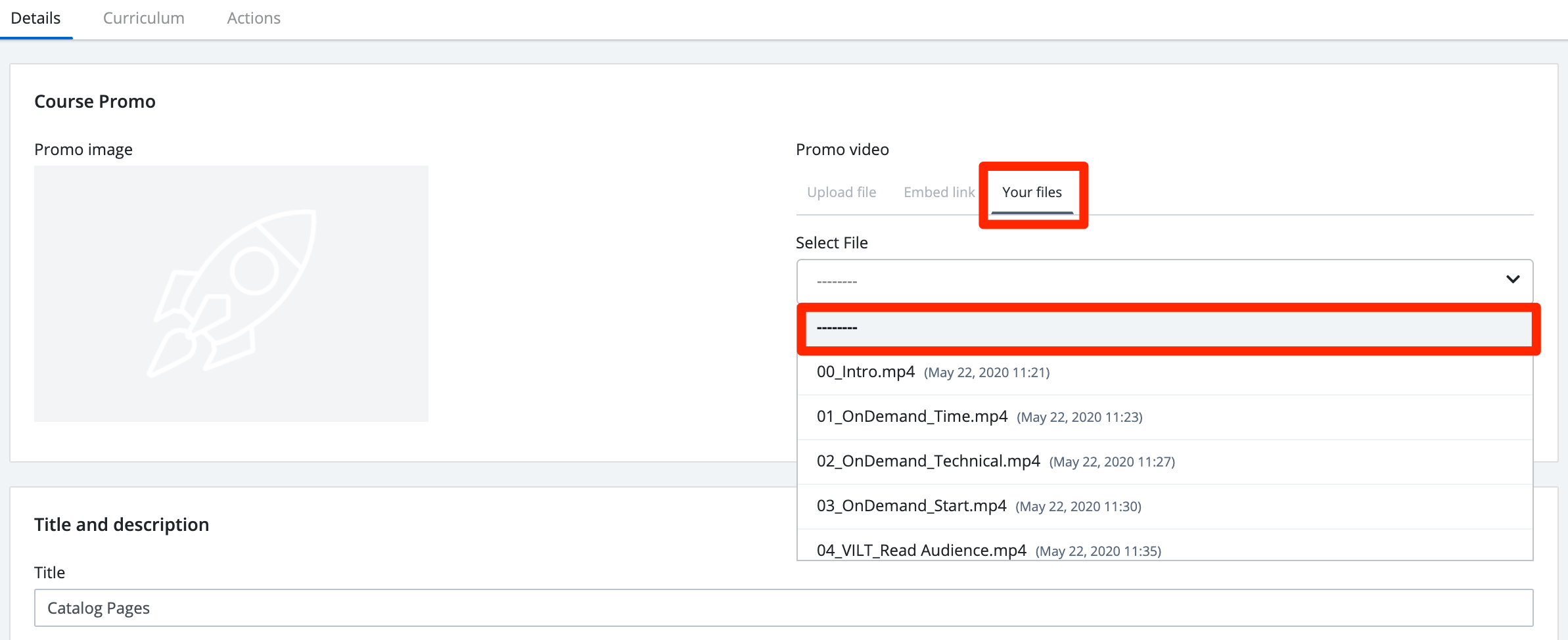
- Select a course and from the Details, choose Your Files underneath the promo video.
- Select the existing video title and scroll up to "----------"
- Once you've removed the Promo Video, Save the course detail change.