---
title: "Initiate a Chat Session from a PX Engagement (i.e. Zendesk, Help Scout)"
slug: "initiate-a-chat-session-from-a-px-engagement-i-e-zendesk-help-scout"
updated: 2026-11-23T12:30:19Z
published: 2026-11-23T12:30:19Z
canonical: "support.gainsight.com/initiate-a-chat-session-from-a-px-engagement-i-e-zendesk-help-scout"
---
> ## Documentation Index
> Fetch the complete documentation index at: https://support.gainsight.com/llms.txt
> Use this file to discover all available pages before exploring further.
# Initiate a Chat Session from a PX Engagement (i.e. Zendesk, Help Scout)
This article explains how to initiate a chat session from the Gainsight PX engagement.
## Overview
Gainsight PX Engagements are built for tech touch to reduce the amount of support tickets and need for live interactions. There are also times where it is beneficial/ideal to allow the currently logged in user launch a live chat session (i.e. Zendesk chat).
**Example Business Use Cases**:
- **Important Alert - Connect to Live Agent** Your team or back-end systems could identify a user or account that requires the user speak directly to an agent on their next login (i.e. billing issue, maintenance).
- **Special Offer** You may have identified an audience of users based on their product usage to receive a special promotion/offer that can be redeemed via support agent.
## Prerequisite
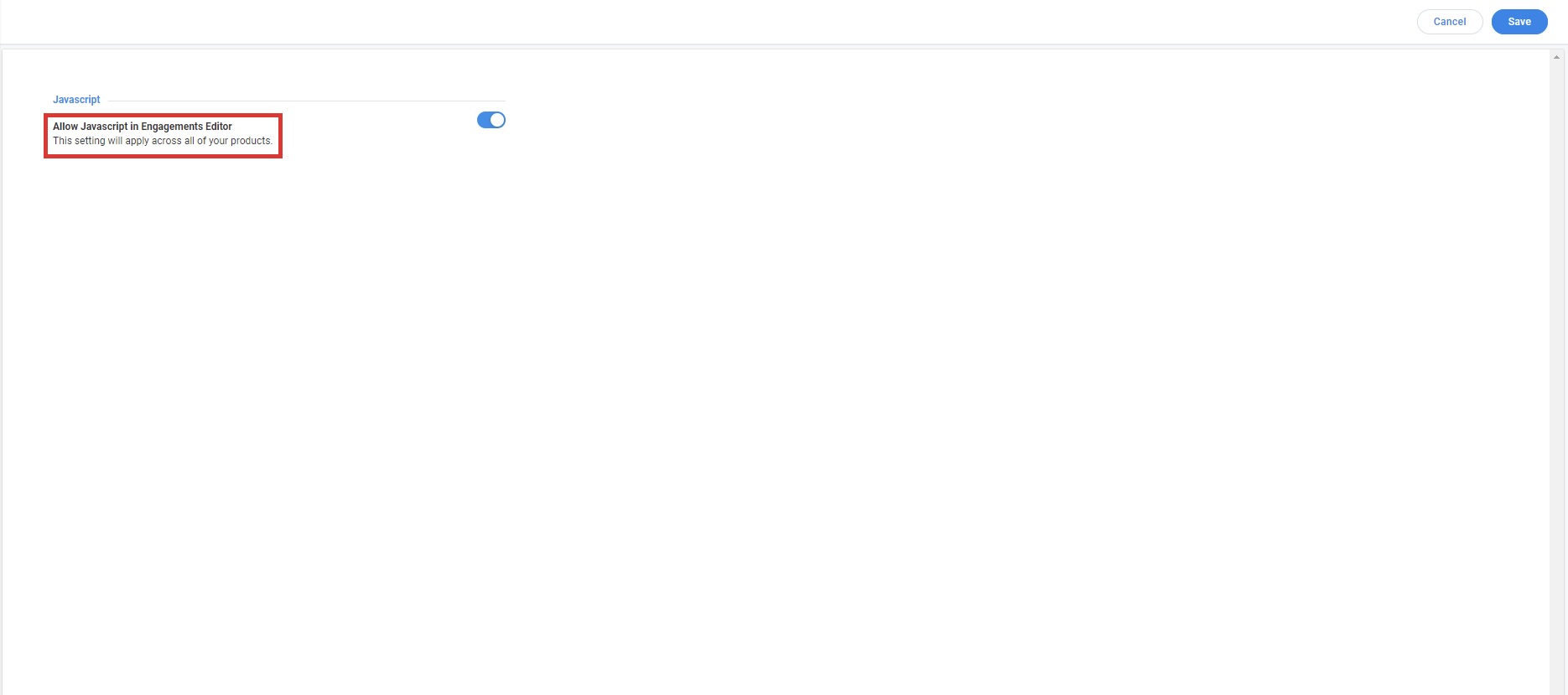
Before proceeding with the integration, enable Javascript support in engagements.
1. Navigate to **Administration > Engagements** (under Security).
2. In the *Engagement Security* page, turn ON the **Allow Javascript in Engagements Editor** toggle.
3. Click **Save**.
## How to set it up
On your PX Engagement, add a button (or link) that when clicked opens (or closes) a chat session. Most live chat platforms offer the ability to launch a session using a javascript call. Following are a few buttons that you can add to show or hide the Zendesk chat interface.
**ZENDESK**
-
-
**HELP SCOUT**
Help Scout offers a variety of ways to launch their Beacon that offers live chat. For example, launch the Live Chat Beacon by making a call to HS.beacon.open() on the onclick event. For more information on how to initialize the Help Scout Beacon, refer to the *Javascript API* article from the [Additional Resources](/v1/docs/initiate-a-chat-session-from-a-px-engagement-i-e-zendesk-help-scout#additional-resources) section.
## Additional Resources
| [*Javascript API*](https://developer.helpscout.com/beacons/javascript-api/) |
| --- |