---
title: "Automatic Product Instrumentation using Suggestion Mode"
slug: "automatic-product-instrumentation-using-suggestion-mode"
updated: 2026-11-23T12:30:28Z
published: 2026-11-23T12:30:28Z
canonical: "support.gainsight.com/automatic-product-instrumentation-using-suggestion-mode"
---
> ## Documentation Index
> Fetch the complete documentation index at: https://support.gainsight.com/llms.txt
> Use this file to discover all available pages before exploring further.
# Automatic Product Instrumentation using Suggestion Mode
This article explains how to use the Suggestion Mode in Product Mapper to instrument or map your application.
## Overview
The Suggestion Mode in Product Mapper is a time saver when it comes to creating your product tree. It is designed to suggest modules and features comprehensively in a fraction of the time, making your tree creation process fast and efficient, allowing you to create the first cut in no time.
The suggested features can be seamlessly mapped to the tree hierarchy in your product, giving you the ability to accept the suggestion, modify its location (by dragging and dropping), or ignore the suggested features. This feature-rich mode provides you with the flexibility to create your product tree exactly how you want it.
Here is a quick video on how Suggestion Mode work in Gainsight PX:
[Suggestion Mode Product Mapper_1](https://player.vimeo.com/video/824717940?h=ae832cad92&badge=0&autopause=0&player_id=0&app_id=58479)
## Prerequisite
To use Product Mapper, ensure that the Gainsight PX tracking code is configured in your application. Anatomy of Product Mapper. For more information, refer to the [*Install Gainsight PX on Your Web App*](/v1/docs/install-gainsight-px-on-your-web-app) article.
## Instrument your Product
The Suggestion Mode suggests URLs (page views) and clickable elements with tag, based on the users previous visits. These suggestions can be added to your product tree and can be accepted, modified, or ignored according to your preference.
To map your application for the first time using Suggestion Mode:
1. Navigate to **Product Mapper** from the main menu.
2. In the **Use Suggestion Mode** section, click **Get Started.**
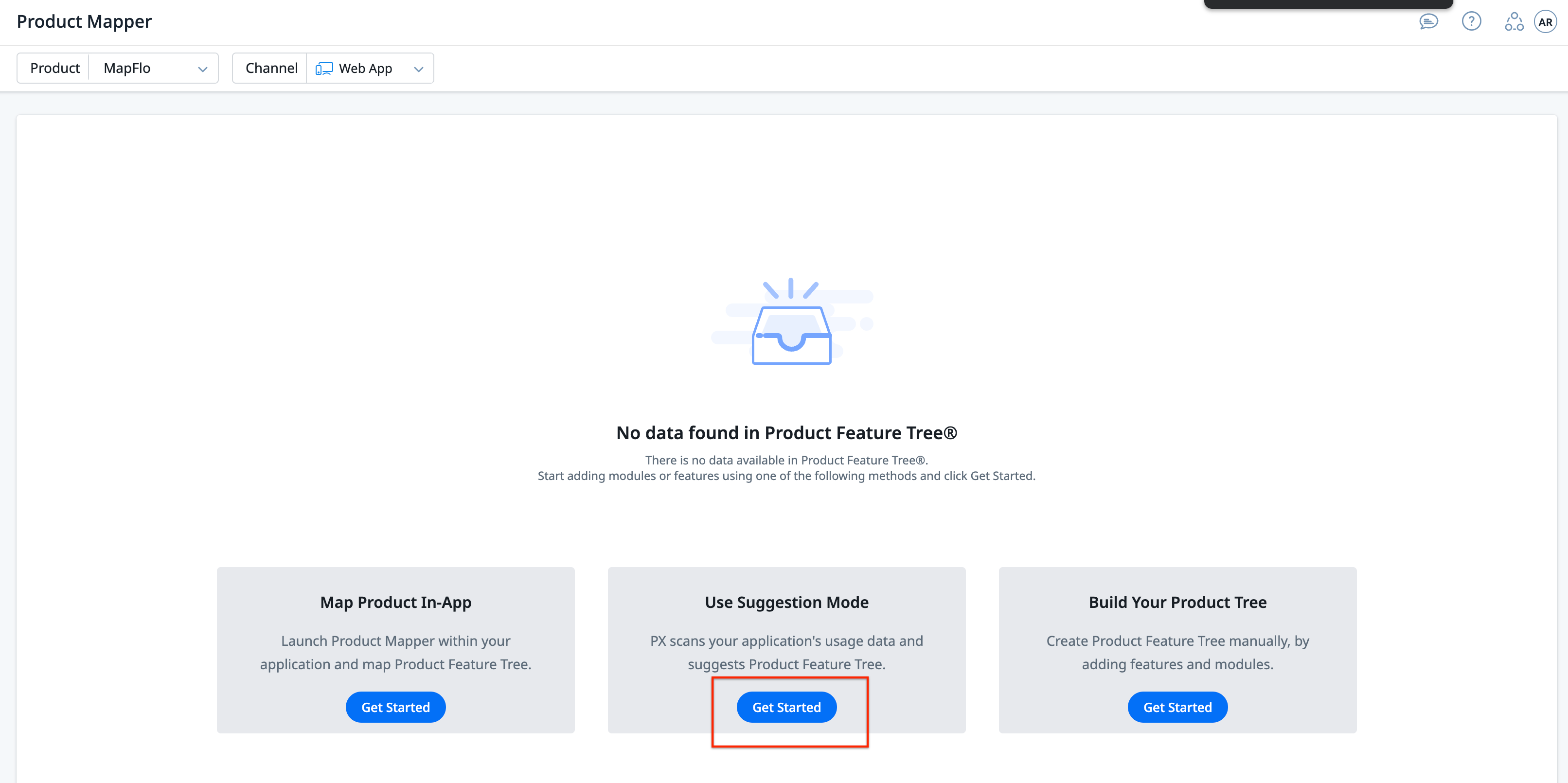
The Product Mapper feature helps you organize your product's features into a hierarchical tree structure.
To use the Suggestion Mode:
1. In the **Use Suggestion Mode** option, click **Get Started**.
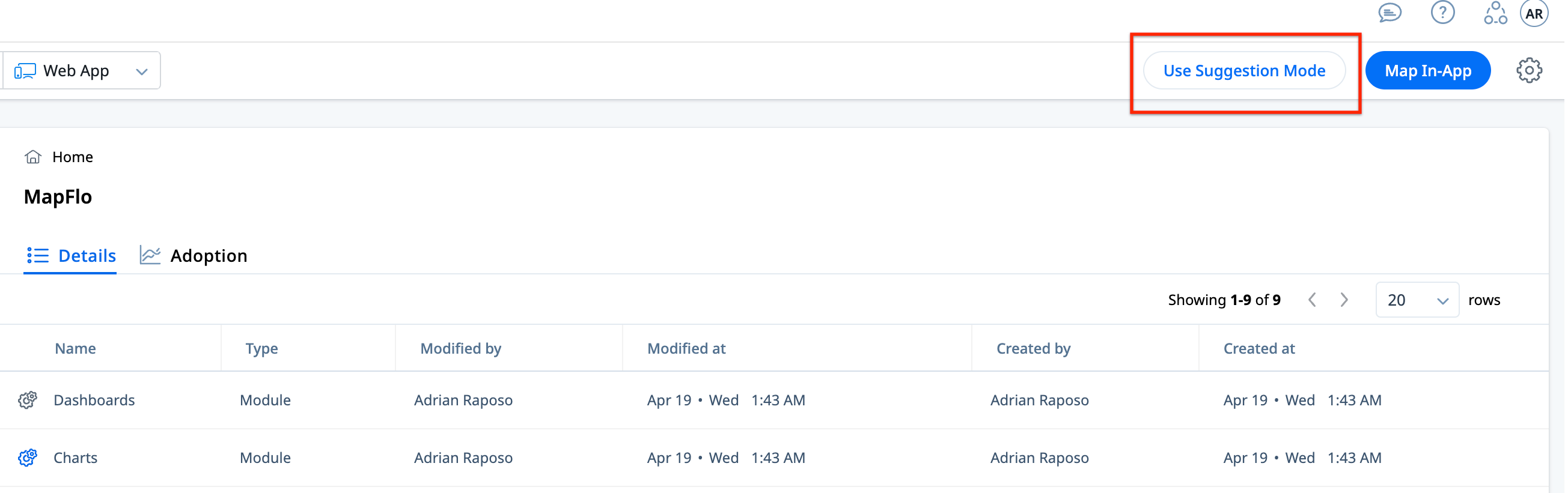
**Note**: If you have an existing product tree for your product, click the **Use Suggestion** Mode button from the top-right corner.
2. (*Optional*): In case your product has multiple domains, click **Advanced Settings** and add the specific URL(s) to get tree suggestions only for the entered domains.
3. In the Suggestion Mode screen, click **Get Started**. PX automatically scans your application and displays a summary of the suggestions.
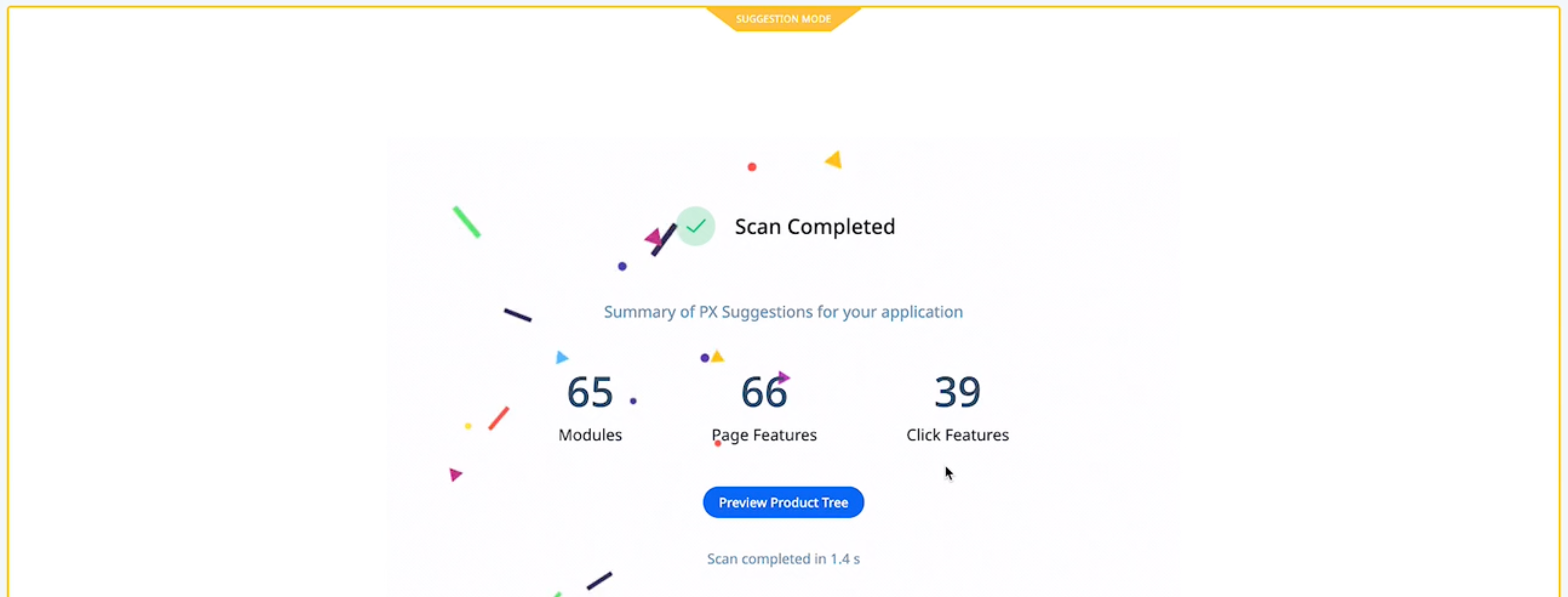
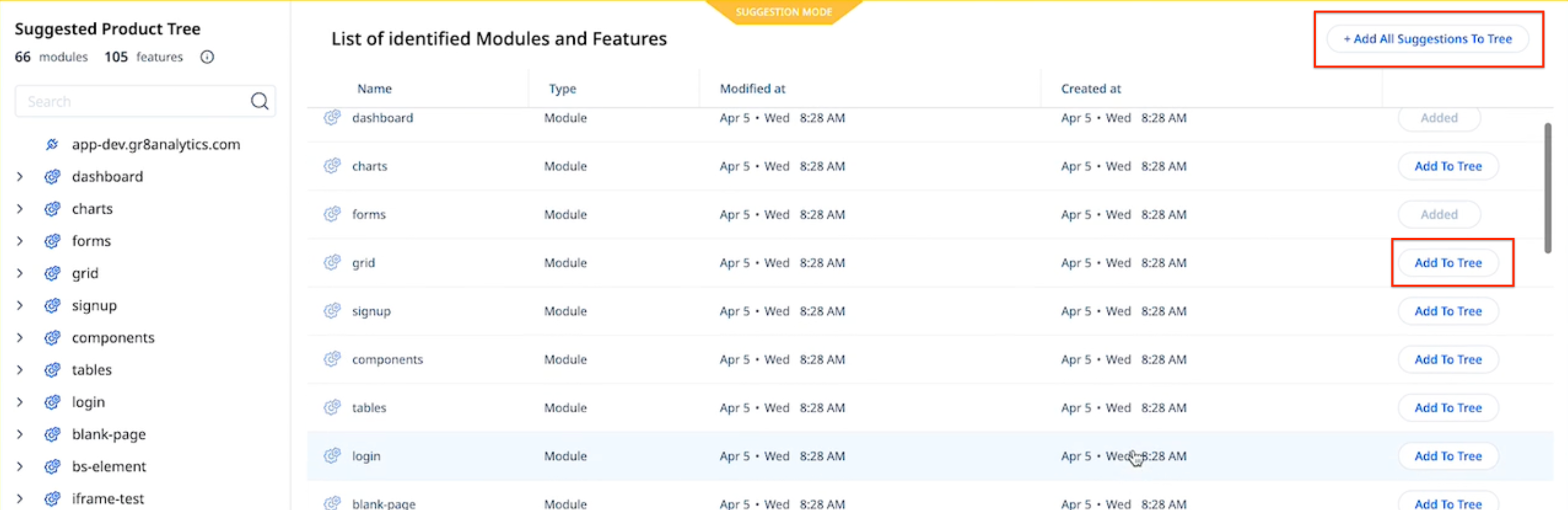
4. Click **Preview Product Tree** to view a list of features suggested, along with the modules. All URL and clickable elements with tag on a product page are mapped automatically.
5. To add a feature or module to the product tree, click **Add to Tree**. To add all suggestions, click **Add All Suggestions To Tree**.
**Notes:**
- When you choose to add a suggested module to the product tree, all the features suggested under the selected module are also added to the product tree.
- When you choose to add only a single feature from a module, the other components of the module are not added to the product tree and only the selected feature and the module to which it belongs, are added to the product tree.
## Additional Resources
- [*Install Gainsight PX on Your Web App*](/v1/docs/install-gainsight-px-on-your-web-app)