---
title: "Tutorial: Use of External HTML Content in Email Template"
slug: "tutorial-use-of-external-html-content-in-email-template"
updated: 2026-11-23T12:31:24Z
published: 2026-11-23T12:31:24Z
canonical: "support.gainsight.com/tutorial-use-of-external-html-content-in-email-template"
---
> ## Documentation Index
> Fetch the complete documentation index at: https://support.gainsight.com/llms.txt
> Use this file to discover all available pages before exploring further.
# Tutorial: Use of External HTML Content in Email Template
Gainsight NXT
This article walks you through how to use external HTML templates from MailChimp, Sparkpost, ActiveCampaign, Maropost, AWeber, Emma etc in Gainsight Email Builder, and make them editable to customize as per user requirements.
## Overview
Gainsight Email Templates are enhanced to support external HTML content, MailChimp templates, or any other external email templates to assist users in customizing their templates.
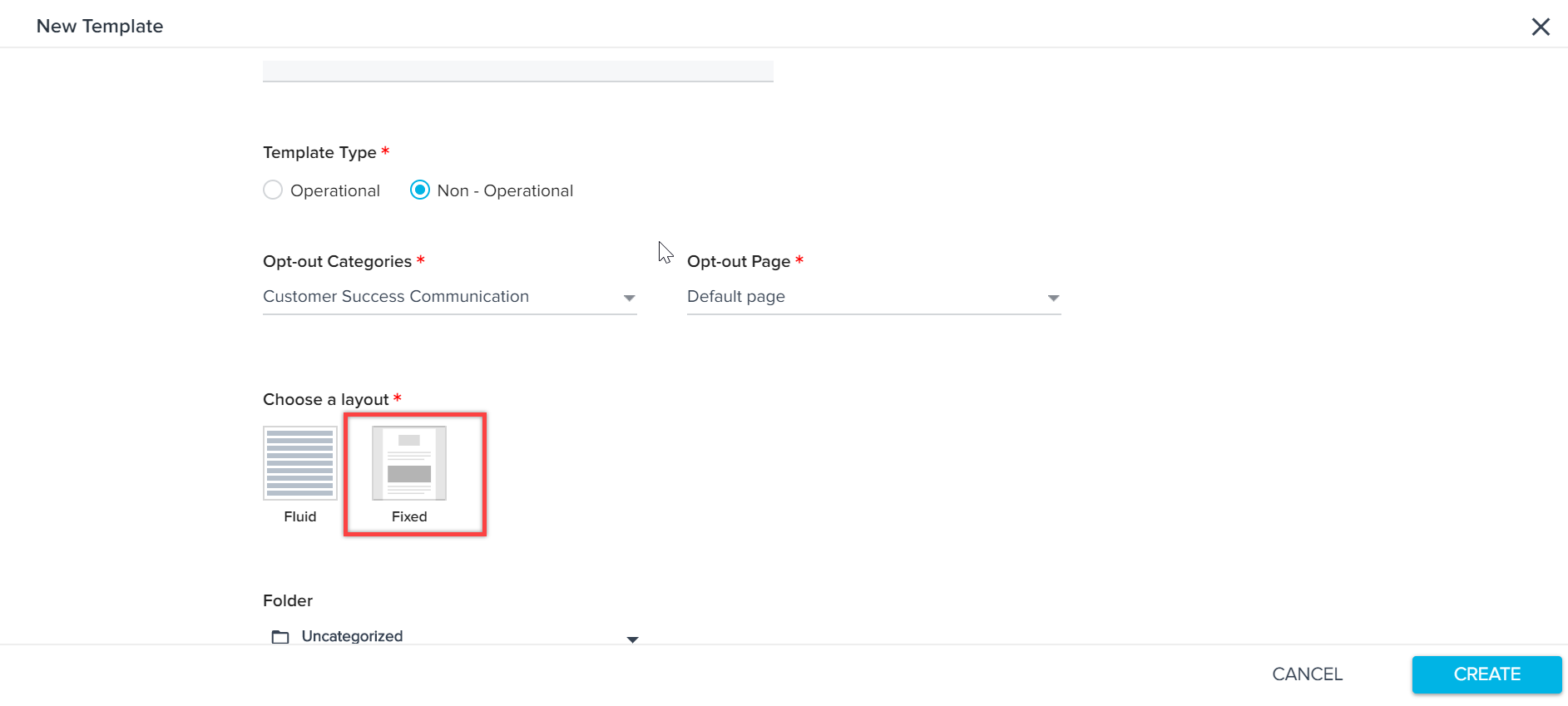
Users must select the **Fixed Layout** type while creating a new template to use external HTML content and make it editable. For more information on how to create a new template, refer to the [*Create Journey Orchestrator Email Templates*](/v1/docs/create-journey-orchestrator-email-templates#journey-orchestrator-email-builder) article.
## Edit External HTML Content by using Email Template
After a new template with a **Fixed type** layout is created:
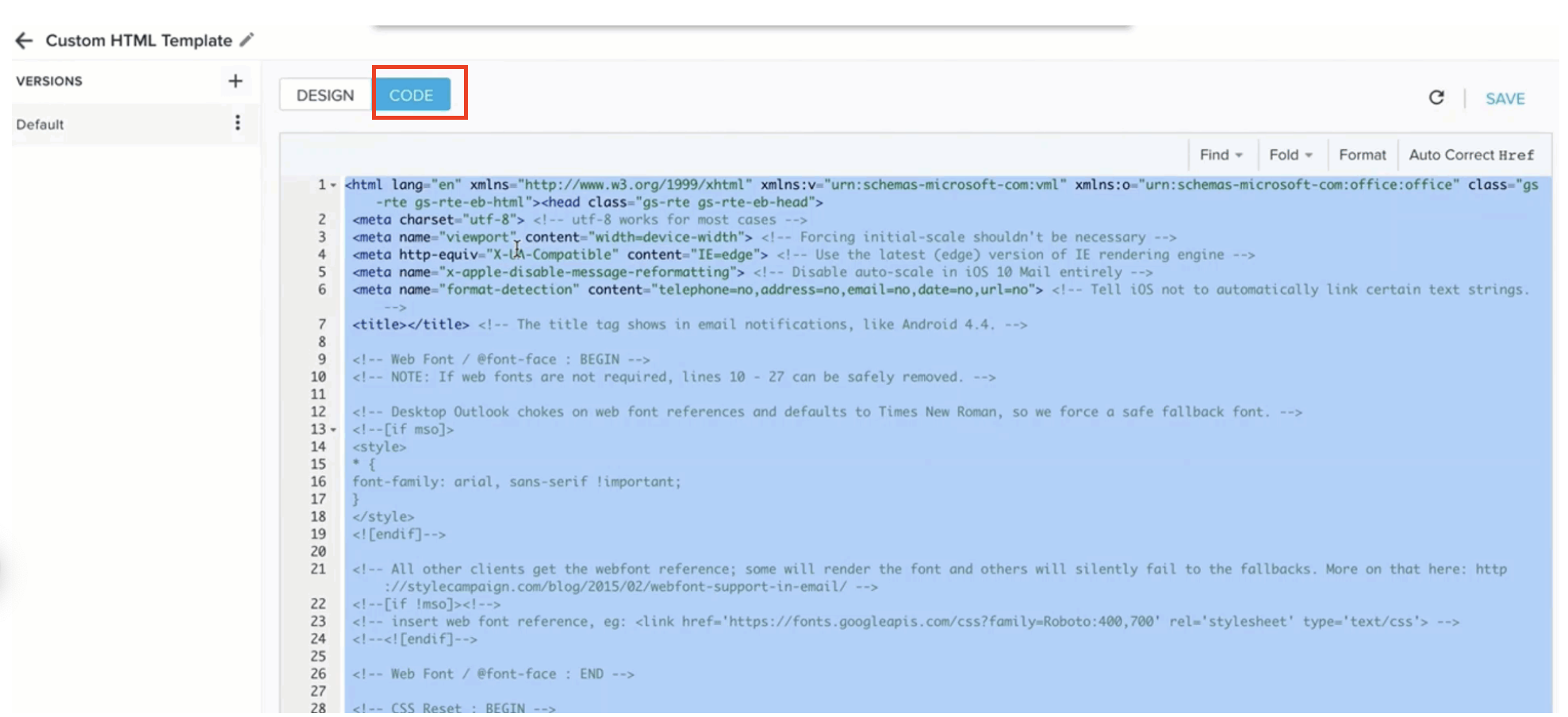
1. Navigate to the **Code** tab.
2. Replace the existing HTML code with your own HTML content.
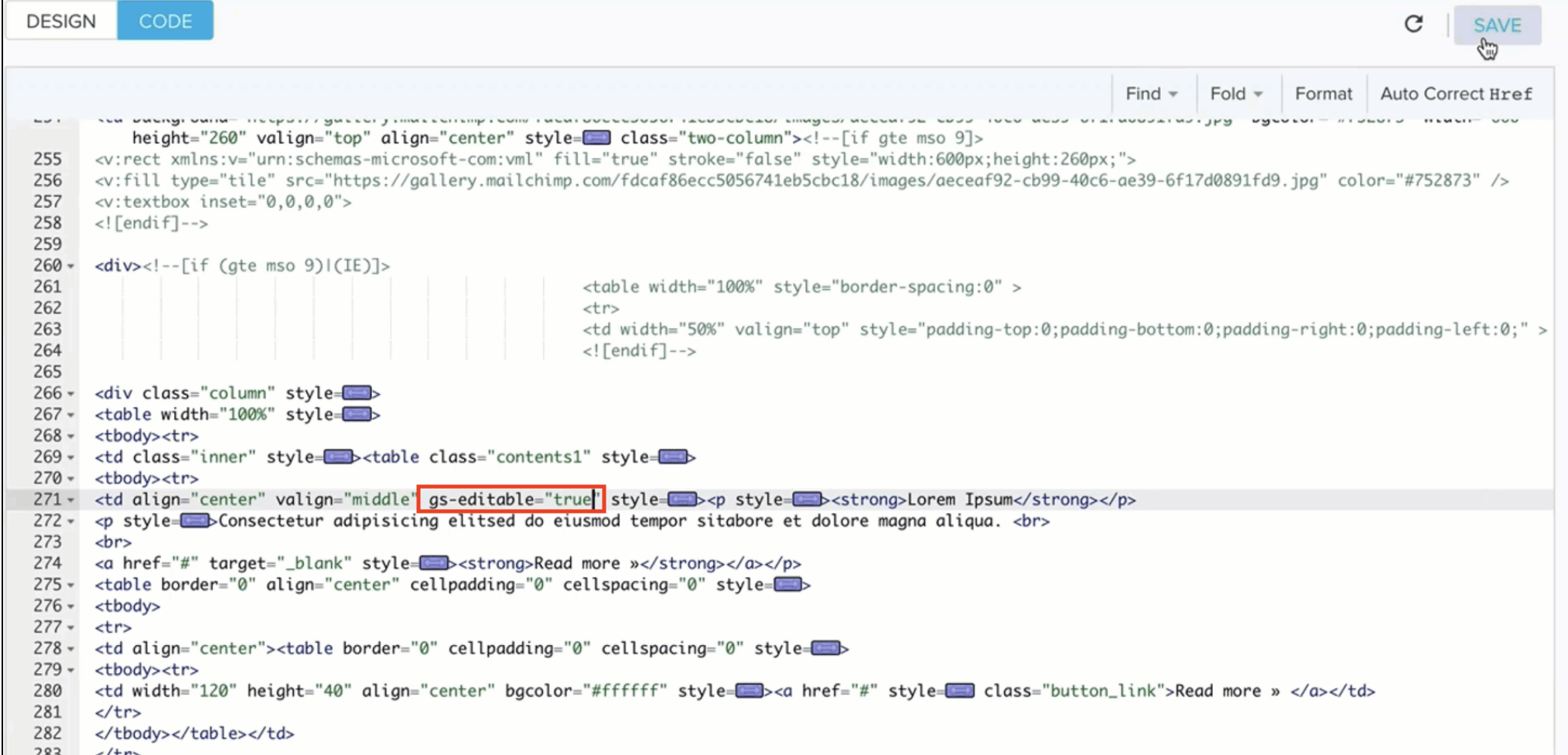
3. Add *gs-editable=”true”* special attribute to main content elements like div, table cell (td), any text content elements, or body tag to allow the Email Editor to edit the external HTML content. For more information on the characteristics of the **gs-editable** tag, refer to [Properties of gs-editable Tag](/v1/docs/tutorial-use-of-external-html-content-in-email-template#properties-of-gseditable-tag) section.
4. Click **SAVE**.
### Properties of ‘gs-editable’ Tag
The following are some of the important characteristics of the ‘gs-editable’ tag:
- It is used to provide a content-editing action for a particular element within a template.
- Adding *gs-editable=”true”* to an HTML element allows you to edit content or insert buttons/links/reports in the Email Editor.
- *gs-editable=”true”* must be used on a div, table cell, or any other element that is considered a content block within the template
Here are some of the important points to be considered while using the ‘gs-editable’ tag:
- The ‘gs-editable’ tag must not be nested under editable elements within other editable elements.
- Adding ‘gs-editable’ tag to body tag may delete any conditional comment in HTML if you edit content while you are in the Design mode of the Email Editor.
## Support for MailChimp Client Layouts
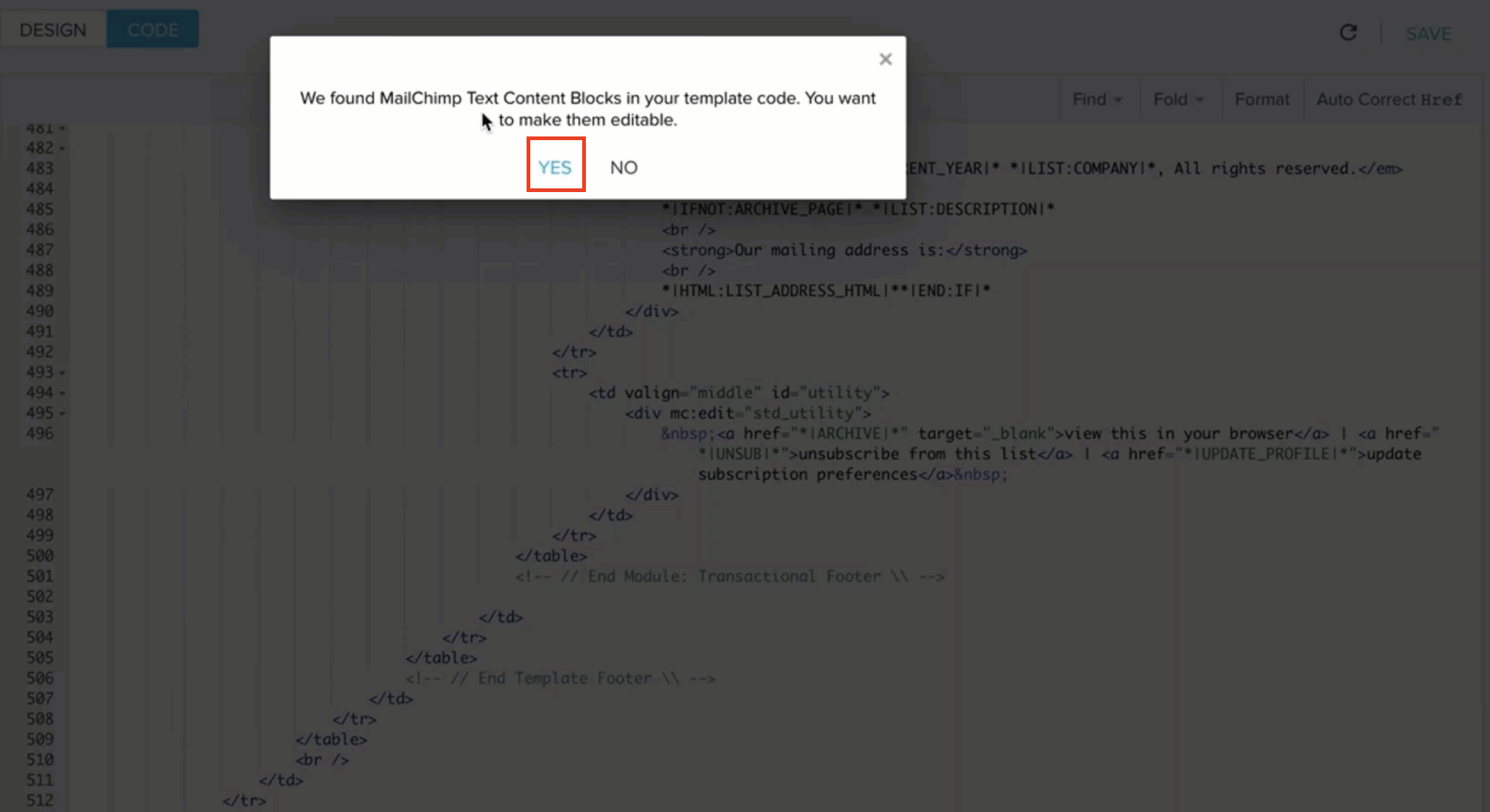
When the user saves the template after replacing the existing HTML code with the MailChimp layout content, the editable areas in the MailChimp layouts are detected automatically by Email Editor. Also, it prompts a message to the user to allow the editor to add ‘gs-editable’ automatically to content elements in the template.